
BBPic
REAFO CO., LTD.
No ratings yetPhoto & VideoAges 4+
Get it free on the App StoreOpens Apple's App Store
Screenshots



About this app
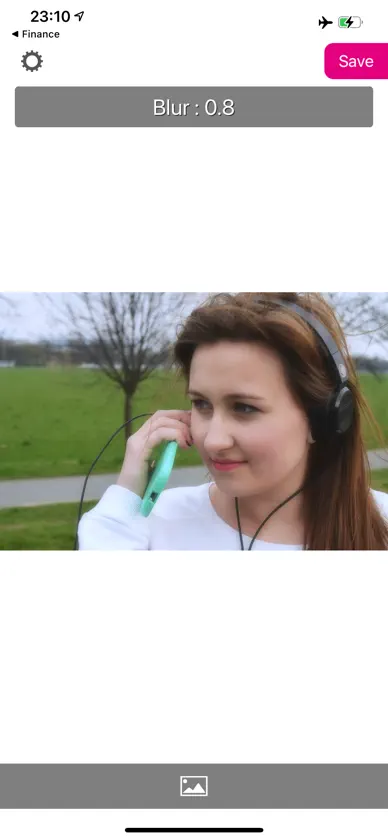
You can edit blur effect to your photos easily with this app. -- How to Use 1. Select a photo. 2. After you select, beauty blur effect has been applied to the photo automatically. 3. You can adjust 4 parameters. Blur / Brightness / Warmth / Saturation. When you are adjusting with a slider, sliders are disappeared to see a photo clearly. -- Tips - You can flip a photo. - You can crop a photo. - Tap and hold on a photo to see the original photo.
What's new
Version 2.4 · Jun 20, 2026
Thank you for using our service. - Fixed minor bugs.
More from REAFO CO., LTD.
 RFV - Rotate & Flip VideoREAFO CO., LTD.
 PicGizmo - Resize & HEIC 2 JPGREAFO CO., LTD.
 Squarely - Multi Video EditorREAFO CO., LTD.
 MovP4 - MP4 ConverterREAFO CO., LTD.
 MovStash - Blur Video EditorREAFO CO., LTD.
 CropMov - Crop Video EditorREAFO CO., LTD.
 GifMov - Gif MakerREAFO CO., LTD.
 Text On Square Video And Blur Background - SooMovREAFO CO., LTD.
You might also like
 Beautiful Blur Photo CreatorhandyCloset Inc.
 RetromoTOSHIYUKI HIRATA
 irodori - Color Pop EditorRyogo Owashi
 Second Camera RollKunihiko Ayuha
 Neon Sign Makerseiji honda
 PaintUp - Remove objectsKarolis Raiselis
 Mosaic - Face Blur Photo AppTOSHIYUKI HIRATA
 OneCut: Selfie CameraSUNGJIN CHO
 filterFairyJHEN-HUA CHEN
 Shape It CameraLUIS CASTILLO