
Intervale: Interval Timer
Stephen Dawson
5.0(1)Health & FitnessAges 4+
Screenshots


About this app
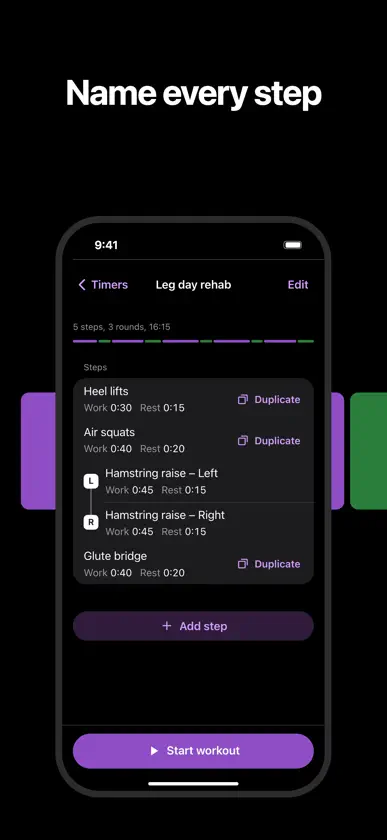
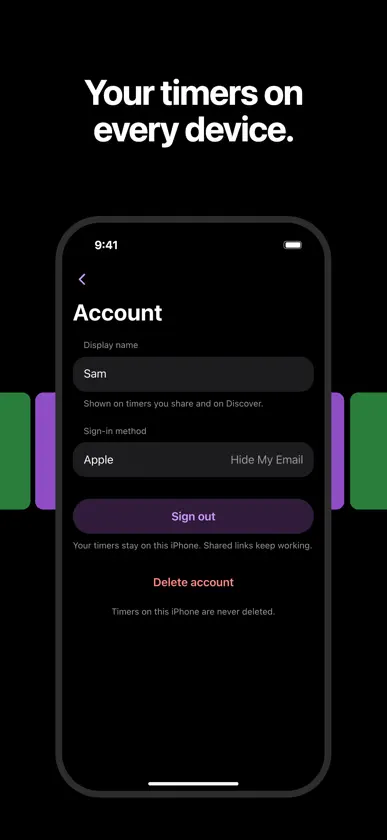
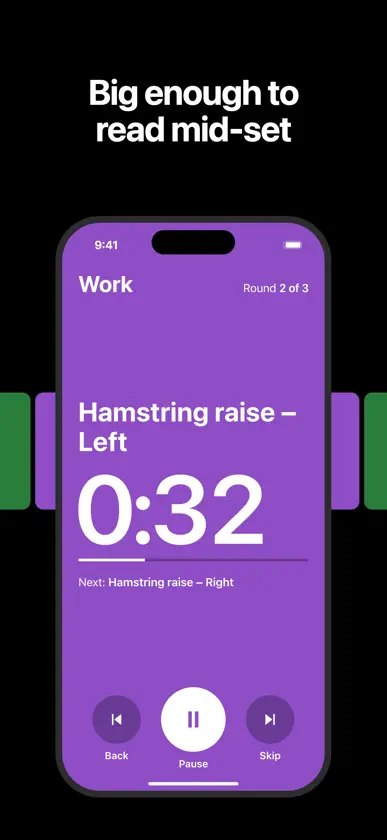
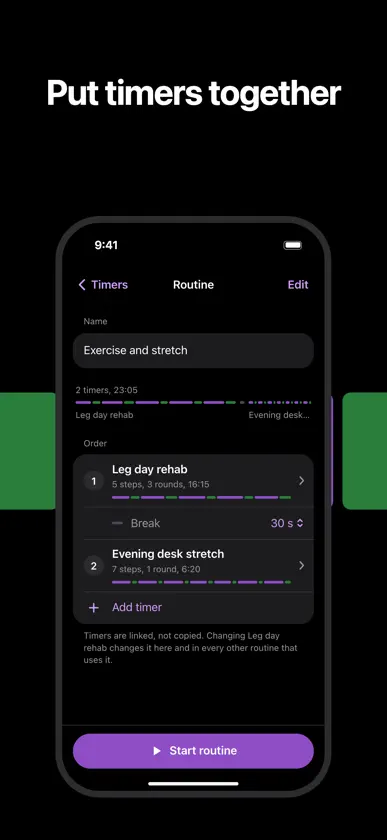
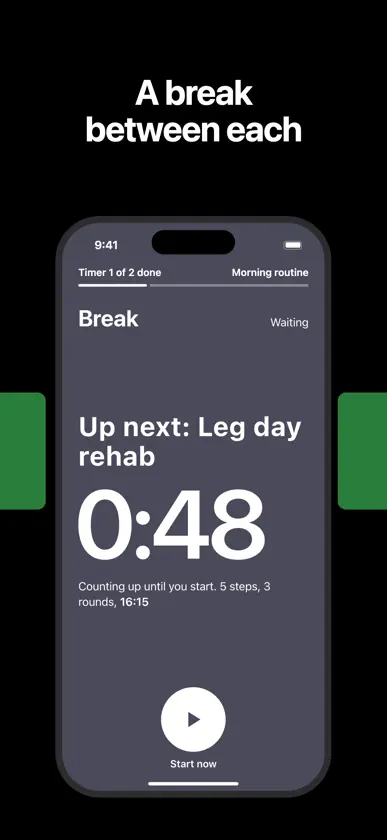
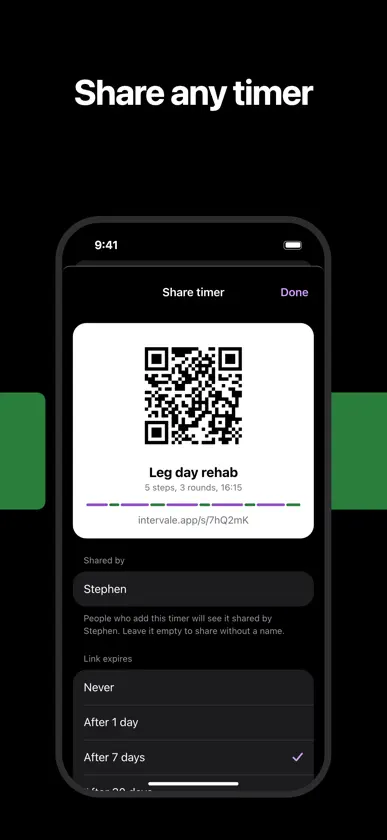
Intervale is an interval timer for HIIT, Tabata, circuits, physio and rehab exercises, and stretching. Build a timer from your own named steps, give each its own work and rest time, and run it with spoken cues and haptics on iPhone or Apple Watch. - Build named timers from your own steps, each with its own work and rest time. - Add both sides of an exercise in one go, and keep the left and right times in step if you like. - Repeat for as many rounds as you like, with an optional rest between rounds. - Big, glanceable countdown with colour-coded work and rest, and what comes next always on screen. - Sounds, spoken cues and haptics mark every change, so you never need to look at your phone. They play over your music without turning it down. - Keeps running in the background and with the screen locked. - Choose the cue sound and volume, and set the sound and haptics for each timer separately. - Favourite timers and routines start from the Home Screen icon's quick actions. ROUTINES - Put timers together in a routine, in the order you want, with a break between each one. - A break can be a set time, or wait until you tap Start now. - Timers are linked, not copied, so changing a timer changes it in every routine that uses it. APPLE HEALTH - Save finished timers to Apple Health as a workout (HIIT, strength, core, yoga, Pilates and more) or as mindful minutes. Pick the type for each timer. - Your step names are saved with the workout, so you can see the work in the Health app. - On Apple Watch, workouts record your heart rate and active calories and count towards your Activity rings. - On iPhone with iOS 26 or later, the workout is recorded live and Apple measures your active calories. Intervale never estimates calories itself. - It is optional. Every timer works the same without Apple Health, and you can switch it off at any time. - Your Health data stays on your device and is never sent anywhere. SIRI AND SHORTCUTS - Say "Start Leg day rehab in Intervale" on iPhone or Apple Watch to run one of your timers. - Ask "What timers do I have in Intervale" to hear your list. - Both are available in the Shortcuts app too, so you can add a timer to an automation or your Home Screen. SHARE AND DISCOVER - Send a timer as a link in one tap, with no upload, or make a page with a QR code that you can set to expire or stop. - Add timers other people share with you, and see how often your own links were viewed and added. - Discover ready-made timers, and change them once they are yours. - Ask for one of your shared timers to be featured on Discover. It is reviewed before anyone else sees it. APPLE WATCH - Run your timers from the wrist with taps for every change, even with your wrist down. - Sessions file into History on your iPhone. ACCOUNTS (OPTIONAL) - Sign in with Apple, Google or an email code. You never have to: every timer works without an account. - Your timers appear on every device you sign in on. - Your shared links stay saved with your account, including on a new phone. - Delete your account in the app at any time. HISTORY AND FOLDABLES - History shows the workouts you have finished, with calories where they were saved. - On iPhone Duo, opened out sideways, your timers and the editor sit side by side, and the running timer shows the steps still to come. No ads, no tracking, no analytics. Without an account, everything stays on your device.
What's new
Version 1.4.0 · Nov 9, 2026
Accounts are new, and optional. Intervale works fully without one. - Sign in with Apple, Google or an email code, and your timers appear on every device you use. - Shared links stay saved with your account, including on a new phone. - Ask for one of your shared timers to be featured on Discover. It is reviewed before anyone else sees it. - Choose the cue sound and volume, and set the sound and haptics for each timer separately. - Favourite timers and routines start from the Home Screen icon's quick actions. - Timer text size sets how large the run screen text is. - History shows the current name of a timer or routine, even after you rename it. - Plain taps no longer buzz. A warning haptic plays when you confirm a delete, stop sharing, remove from a routine or end a run. - A routine with Apple Watch on no longer shows 0 kcal. - A quick What's new screen appears once after you update.
You might also like
 Shift: Workout Interval TimerJorick van Meijeren
 Pacelab Interval TimerNewbuildsoft
 Ares - Workout Interval TimerKrzysztof Orlowski
 GRIT WOD TimerAndrew Dunn
 Interval Timer: Circuit & HIITShenZhen Niddles Technology Co., Ltd.
 Fartlek: Run Interval TimerAxis SA
 Interval Timer: Run Walk, HIITRoma Sosnovsky
 Mariabs · Interval TimerPER MAGNE HELSETH
 Timer | IntervalMICAH JOHN WALKER
 Just My TimerPavel Gagarin