
TimerBar: Presentation Timer
Hwechul Cho
No ratings yetProductivityAges 4+
Screenshots



About this app
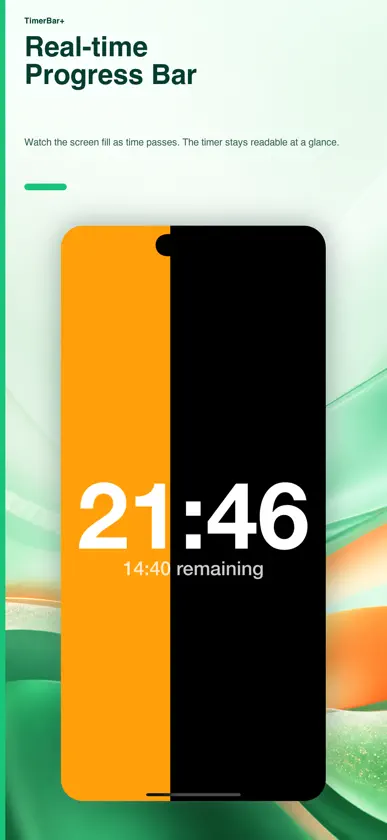
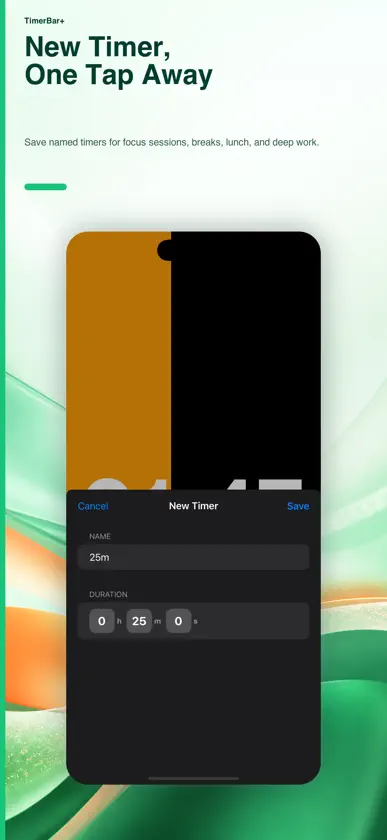
TimerBar puts a clear countdown and a live progress bar on your screen for presentations, meetings, rehearsals, and focus sessions. Start right away, for free: - Choose a duration from 1 second to 6 hours - Start, pause, resume, restart, and stop your timer - See your current clock or focus on the remaining time - Keep timer setup and controls visible when you need them - Use light or dark display mode TimerBar+ adds: - Saved, named timer presets - Countdown to a chosen end time - Personal progress colors and fonts TimerBar+ is an optional auto-renewing subscription. Available plans and any eligible free trial are shown in the app with your local price and billing period. The basic timer stays free. Terms of Use: https://www.asdftq.com/timerbar/terms.html Privacy Policy: https://www.asdftq.com/timerbar/privacy.html
What's new
Version 1.4.4 · Nov 5, 2026
Start timing right away. Timer setup and a clear Start button now appear on launch, including when the clock is hidden. Basic timer controls are free. TimerBar+ clearly explains its saved timers, end-time mode, and personal colors and fonts, with accurate trial eligibility, plan prices, purchase feedback, and restore results.
In-app purchases
The most popular purchases on the App Store.
- TimerBar+ MonthlySubscription$0.99 / month
- TimerBar+ YearlySubscription · 7 days free trial$4.99 / year
More from Hwechul Cho


You might also like
All apps like TimerBar: Presentation Timer → ProgressTimer - Bar TimerTaniguchi Yota
 Speaker Presentation TimerEssential Hospitality
 Podium – Presentation TimerAnchorApps.io
 Progress-2024Emotional Bloom
 Timer with SectionsChristian Fries
 The Presentation TimerGINGER DESIGN STUDIO, K.K.
 Minimalist ProgressHieu Kim
 PresiTimer: Presentation TimerIvo Maag
 Deadline Bar: Time Progress双伟 王
 Day Dial - Year Progress BarGinkgo Labs