
1DevTool
Khoa Nguyen
No ratings yetDeveloper ToolsAges 4+
Screenshots




About this app
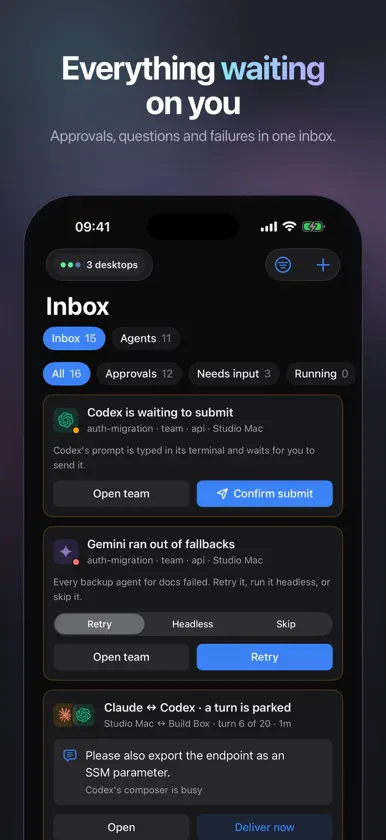
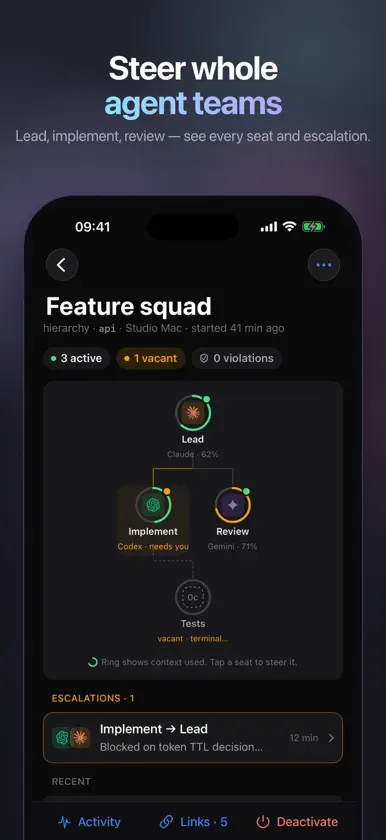
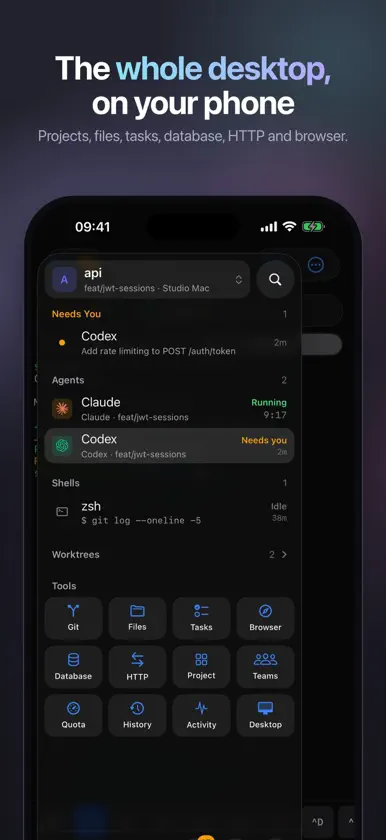
1DevTool is the phone companion for 1DevTool Desktop, and a fast native terminal for any server. YOUR AGENTS, WHEREVER YOU ARE • See every Claude, Codex, Gemini and other coding agent running on your computer, grouped by project. • Inbox: the agents waiting on you, approvals and failures, in one list. • Read the conversation or switch to the live terminal, type, paste, send keys and attach photos. • Start new agents, resume past sessions, search and reuse your past prompts, and steer orchestrated teams: hierarchy, pipeline, escalations and runs. THE DESKTOP, ON THE PHONE • Projects and worktrees, source control with diffs, commit and push. • Files, tasks, database queries, HTTP requests and browser screenshots you can mark up and send to an agent. • Live Activity and Home Screen widgets for the runs that need you. A REAL TERMINAL • SSH with password or key (Ed25519, ECDSA), known-host checks and keys stored in the Keychain. • mosh that survives Wi-Fi changes, sleep and roaming. • Keyboard accessory row with esc, tab, ctrl and arrows, plus themes and fonts. PRIVATE BY DESIGN • Pair by scanning a QR code. The phone and the desktop talk end-to-end encrypted, over your Wi-Fi, Tailscale or a relay that only sees encrypted bytes. • No account, no analytics, no tracking. Your code stays on your computer. • Face ID can confirm approvals, pushes and deletions. Try the built-in demo without a computer. Requires 1DevTool Desktop for the companion features. The terminal works with any SSH or mosh server.
What's new
Version 1.0.3 · Nov 6, 2026
Voice input • A mic key on the terminal's key bar and in the Conversation composer. Speech is transcribed on the iPhone, so nothing you say leaves it. • Download a model in Settings › Voice input and pick a language, or let it detect one. Live text shows the words as you speak, and Send takes waiting attachments with them. Move the cursor • A cursor pad at the end of the key bar: tap a side to step, hold to repeat, or drag across it like a trackpad. • Tap the line you're typing to put the cursor there. Servers and tmux • Saved servers and their terminals now sit with your projects and in the project switcher. Settings › Machines lists them under your desktops. • Server terminals get the workspace's tabs, named after what runs in them. • A new SSH or mosh terminal offers the tmux sessions already running: continue one, start a new one or open a plain shell. Sessions can be ended from the phone too. • Attach photos and files in SSH and mosh terminals. • Conversation in a tmux tab follows the Claude Code session running in that pane. • Hide server addresses on screen with a switch in Settings › Connections. Also • A smaller default terminal font, so more columns fit. • Fixed a crash when a terminal opened during a screen transition, and the workspace's tabs sliding every second or so.
