
PushWard
MACIEJ KEDZIORA
No ratings yetDeveloper ToolsAges 4+
Screenshots


About this app
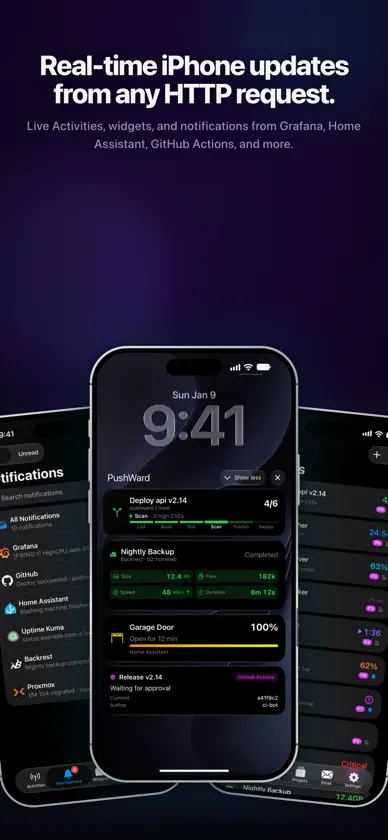
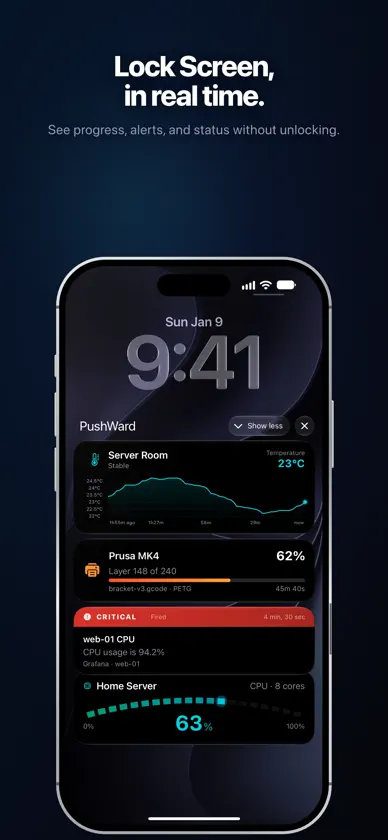
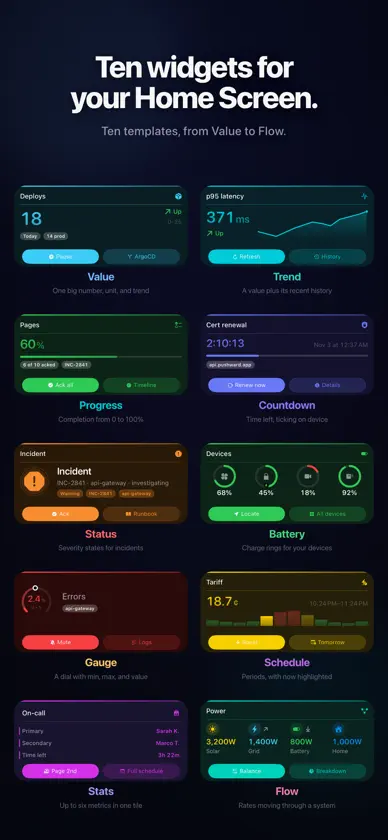
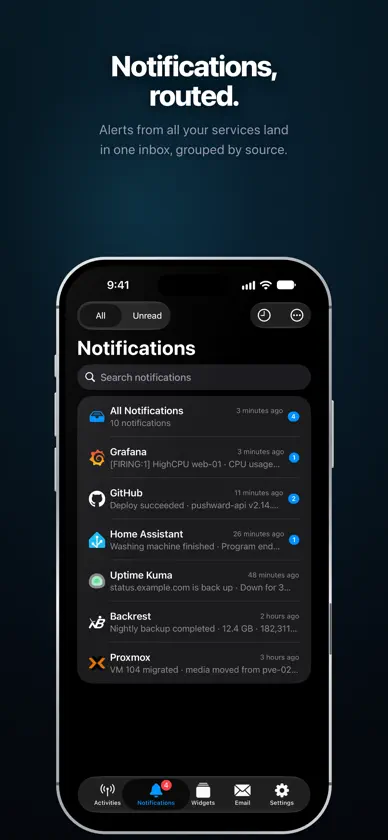
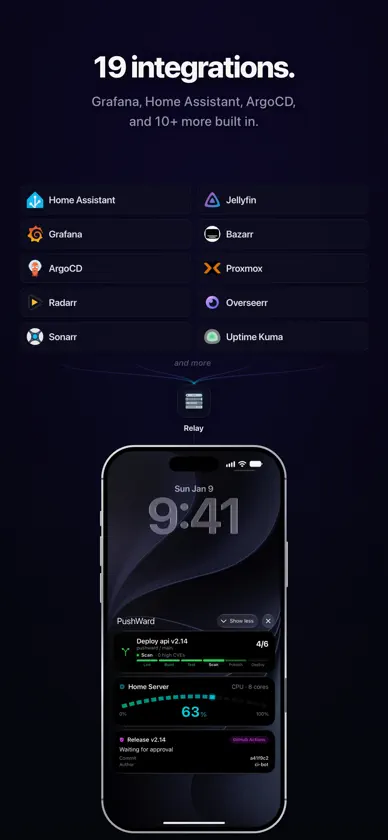
PushWard turns plain HTTP requests into iOS Live Activities. Bridge your backend services to the Dynamic Island and Lock Screen — one API call starts an activity, another updates it. HOW IT WORKS 1. Create an activity with a template and slug via the API 2. Update state and content with a simple PATCH request 3. The update lands on your Lock Screen and Dynamic Island instantly No APNs certificates to manage. No device tokens to track. 8 BUILT-IN TEMPLATES • Generic — Track any progress with a customizable bar, state label, and countdown timer • Countdown — Auto-managed timer with server-side warning and completion pushes • Steps — CI/CD step indicator with matrix job support and stage tracking • Alert — Severity-based alerts with deep links to dashboards and alert rules • Gauge — Monitor values within a range with auto-calculated progress and min/max labels • Timeline — Real-time sparkline chart with multi-series support, thresholds, and auto-scaling • Board — A grid of up to four status tiles, each with a value, unit, icon, color, and trend arrow • Log — A live, scrolling feed of events with timestamps and severity, newest first 20 READY-MADE INTEGRATIONS Webhook relay (zero code, no server needed): Grafana • ArgoCD • Radarr • Sonarr • Bazarr • Jellyfin • Paperless-ngx • Uptime Kuma • Gatus • Overseerr • Proxmox • Changedetection • Unmanic • Backrest Self-hosted Docker bridges: GitHub Actions • SABnzbd • Bambu Lab 3D Printer • Unraid NAS • Grafana (advanced) Smart home: Home Assistant via HACS — track any entity as a Live Activity KEY FEATURES • Apple Watch app — view your Live Activities and notification history on your wrist, with watch-face complications and Smart Stack support for all templates • Made for iPad — a universal app with an adaptive two-pane layout and full landscape support • Live Activity designer — build and push a Live Activity right from the app, no code required • Siri & Shortcuts — send a notification or open your unread inbox hands-free • Control Center controls — fire a widget webhook or open your inbox from Control Center • Powerful search — search your entire notification and email history on device, and find any notification from Spotlight • Critical Alerts — let your most urgent notifications break through silent mode and Focus • Sign in with Apple — no passwords or email required • Up to 5 concurrent Live Activities with priority-based smart eviction • Activity sharing via share codes and universal links • Push-to-Start — the server starts Live Activities on your device remotely • Scoped integration keys with slug restrictions and rotation • Custom accent, background, and text colors (named or hex) • In-app notification inbox with per-source preferences • Email delivery — send emails to your verified recipients and browse your sent history • iCloud sync — your settings stay in sync across all your devices • Interactive demo — try all templates without any setup • Full account deletion — instantly, no hoops PRIVACY BY DESIGN • No analytics, ad networks, or tracking • Sign in with Apple only — we never see your email • API tokens stored as SHA-256 hashes • Activities auto-clean via configurable TTLs • All communication over HTTPS/TLS and encrypted APNs PRICING PushWard has a generous free tier — no credit card required: • 500 push notifications and 250 Live Activity updates per month • 3 registered devices and up to 5 concurrent Live Activities • All templates and full REST API access Upgrade any time for unlimited notifications and updates, Activity Sharing via share codes, and up to 10 registered devices: • PushWard Plan — billed annually, with a 14-day free trial • Family — billed annually, shared with up to 5 family members • Founding — a one-time Lifetime purchase that never renews Pricing is shown on the in-app paywall. Terms of Use (EULA): https://www.apple.com/legal/internet-services/itunes/dev/stdeula/ Privacy Policy: https://pushward.app/privacy
What's new
Version 1.22.0 · Nov 8, 2026
PushWard 1.22.0 adds two more ways to sign in, next to Sign in with Apple: Google, and a code sent to your email. - Continue with Google signs you in with your Google account on iPhone, iPad and Mac, in the system sign-in sheet. - Continue with email sends a six-digit code to your address. Type it in, or let AutoFill take it from Mail. - An address or Google account you already use in the PushWard web console signs in to the same account. - Screens keep loading through a short server outage: a screen you open waits up to two minutes for the server to come back instead of showing an error. - Background refreshes no longer show error alerts during an outage. - The sign-in screen fits all three methods on smaller iPhones, and the sign-in sheet in Look around opens full height.
In-app purchases
The most popular purchases on the App Store.
- FamilySubscription · 14 days free trial$1,190.00 / year
- LifetimeConsumable$4,990.00
- PushWard PlanSubscription · 14 days free trial$790.00 / year
More from MACIEJ KEDZIORA

You might also like
 ActivitySmith - Push & WidgetsAdam Bardon
 Island Pulse - Live UpdatesImmiGrader Tech LLC
 HookTapTim Krisch
 GrafLensWhiteMatter Technology, LLC
 WidgetoKamil Kujawinski
 IoT PanelsPhilipp Arndt
 Beszel : DashboardTheo Vankoekelberg
 PVE Adminapply IT UG (haftungsbeschraenkt)
 Webhook NotifierAlltrons B.V.
 Uptime MateChristoph Scherbeck