
SentryPing
Gregory Manley
No ratings yetUtilitiesAges 4+
Screenshots


About this app
SentryPing keeps an eye on your websites, APIs, and servers — and tells you the moment something goes down, right from your pocket. Add an endpoint, and SentryPing checks it in the background and alerts you on outages and recoveries. Everything runs on-device: no account, no sign-up, no tracking. MONITOR ANYTHING • Watch any URL or host — websites, REST APIs, health checks, home servers • Set expected status codes, a latency ceiling, check interval, and a failure threshold to avoid false alarms • See status at a glance: Up, Degraded, or Down GLANCEABLE, EVERYWHERE • Home Screen widgets with your status summary and top monitors • Lock Screen widgets — circular, rectangular, and inline • Live Activity + Dynamic Island: watch an outage's downtime tick up in real time • A "Check Now" control for the Lock Screen and Control Center — also available in Shortcuts and Siri SMART ALERTS • Get notified when a monitor goes down, and again when it recovers • Debounced so a single blip won't spam you ON YOUR WRIST • A SentryPing app for Apple Watch — your status summary and every monitor at a glance • Kept up to date by your iPhone automatically FIND DEVICES • Find the devices on the network you're connected to — router, NAS, printer, home server • See each device's address and which common ports answered, then add it as a monitor in a tap • Everything happens on your device; nothing about your network leaves it QUICK PING • One-tap "ping ×3" to any URL over HTTP, or any device on your network over ICMP — even a router, NAS, or printer with no web server • See per-request latency plus a min / avg / max summary — like ping, in your pocket HISTORY & INSIGHT • Latency sparkline, uptime %, recent checks, and an incident log for every monitor PRIVATE BY DESIGN • Fully on-device. Your endpoints and tokens never leave your iPhone. Note: background checks are best-effort — iOS decides when apps may run in the background.
What's new
Version 2.2 · Nov 9, 2026
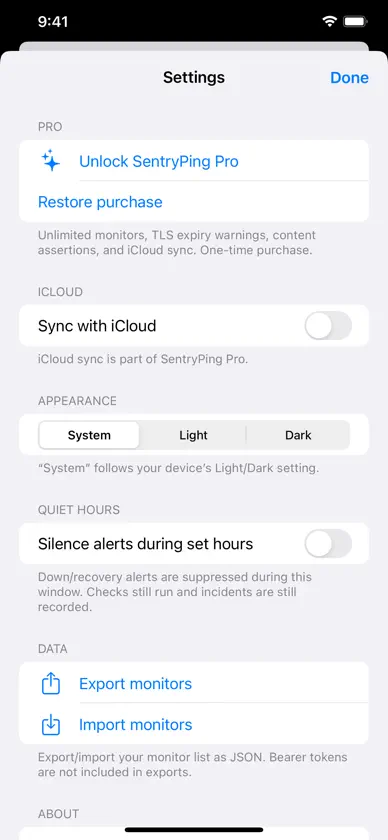
Faster device discovery, a more useful watch app, and a round of accessibility work. FIND DEVICES • Scanning is about four times faster — roughly ten seconds for a typical home network instead of forty, and devices now start appearing within a couple of seconds. APPLE WATCH • The watch now tells you how old its data is, and says so clearly when it's gone stale rather than showing you yesterday's numbers as though they were current. • Monitors that are down are listed first, so a problem can't hide below the fold. • Latency is labelled, and rows read properly with VoiceOver. ACCESSIBILITY • Monitor status now uses a distinct symbol as well as a colour, so it's readable with VoiceOver and doesn't depend on telling red from green. • Toolbar buttons, the check-interval slider and the status icons all announce themselves properly. Thanks for using SentryPing — feedback is always welcome from the in-app Settings.
More from Gregory Manley


You might also like
 Better Ping: Network MonitorRyan Gibo
 Ping MonkeyDanny Bolick
 Network WiFi ScanAYOUB ELADRAOUI
 Ping & Outages by Latency LabsAlex Galletti
 NetMaster-X Network toolsAbdulrazaq Alonazi
 404 NetworkChristine Martin
 NetBeatAnaxa, LLC
 Ping NetToolTLM Software Design, Inc.
 CellularPathCellular Path INC.
 Coddiq - Network ScannerCoddIQ LLC