
AmniSphere
Amniscient LLC
5.0(7)Developer ToolsAges 4+
Screenshots




About this app
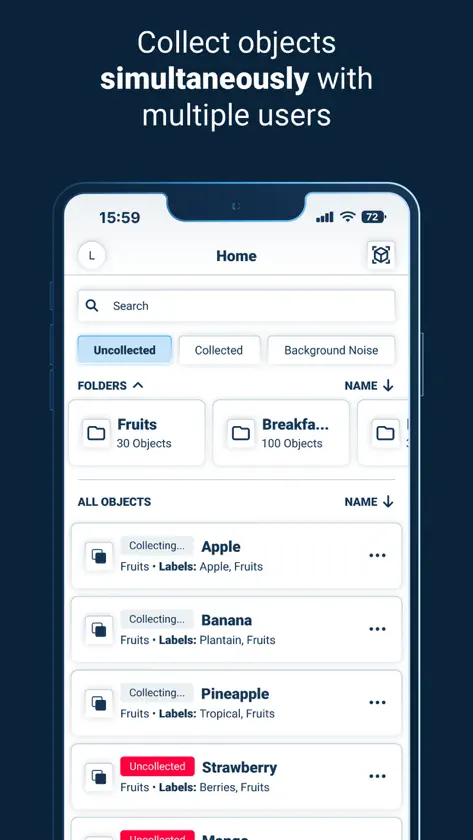
Deploy real-time computer vision Al with 99.9% accuracy in just three steps. AmniSphere by Amniscient empowers teams across retail, industrial automation, and autonomous robotics to deploy powerful, human-centered Al solutions—no coding required. Go from idea to deployment in just three steps: - Collect: AR-Guided Capture walks you through capturing every angle of your object with built-in flash technology for optimal data quality. - Train: Organize and annotate your data easily with automated labeling and catalog management. - Deploy: Seamlessly integrate trained models into your operations for real-time insights and alerts. Key Features: - AR-Guided data capture for robust Al training - Catalog management for organized data libraries - Simultaneous data collection by multiple users - Low-code/no-code interface for fast deployment - Real-time operational insights and alerts - Upcoming Apple Vision Pro compatibility for advanced data capture Designed to enhance—not replace—human workflows. Trusted by industry leaders to improve accuracy, speed, and customer satisfaction. Get Started: A valid AmniSphere account is required to use this app. Learn more and start your free trial at www.amniscient.com. Warning: This app uses flash technology. A small percentage of individuals may experience epileptic seizures or blackouts when exposed to certain light patterns or flashing lights. Please consult a medical professional if you are susceptible to such conditions.
What's new
Version 4.3.1 · Oct 19, 2026
This update focuses on capture quality and easier browsing: • Sharper, truer colors — improved white-balance handling during capture, plus updated on-device blur and glare detection with clearer guidance when a shot needs adjusting • Hand detection — the camera now lets you know when a hand is in frame, so captures stay clean • Pinch to zoom — zoom and pan on captured frames, previews, and detection results • Redesigned search — folders and items now appear in a single ranked list, with exact matches first • Pick up where you left off — returning home after capturing an object or background keeps your place in the folder • Refreshed camera screens and many smaller fixes and stability improvements • Better animations — improved capture flow animations to guide new users more effectively
You might also like
 Devops ToolBoxNevis Shkenza
 ASO - App Keywords OtimizationMarcelo Diefenbach
 Lynx Go - Dev ExplorerPranshu Chittora
 Bluetooth DeveloperMatthias Zarzecki
 SNMP Network Monitor婉媚 邵
 WhisperCodeDevin Griffin
 Private Web Browser - DualBashar Almadi
 TestApp.ioTestApp.io FZ LLC
 Docker ManagementNevis Shkenza
 mobiNODENOW Chain, Inc