
Camera Red
Oleksii Baliuk
1.0(1)Photo & VideoAges +4
Screenshots







About this app
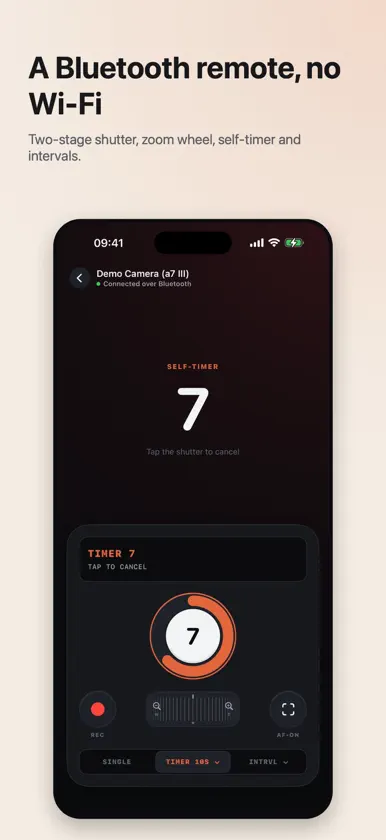
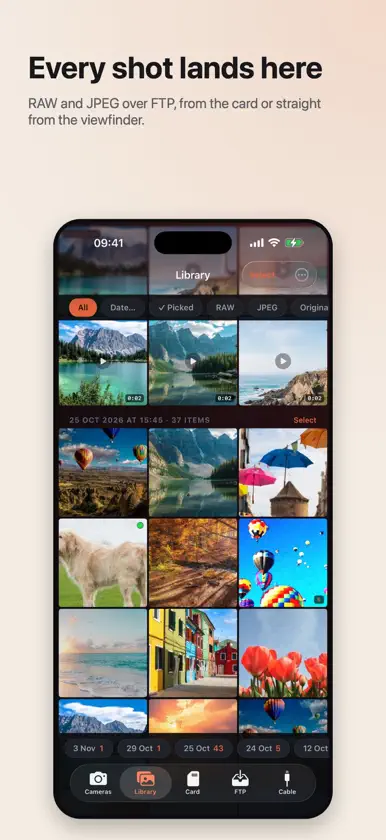
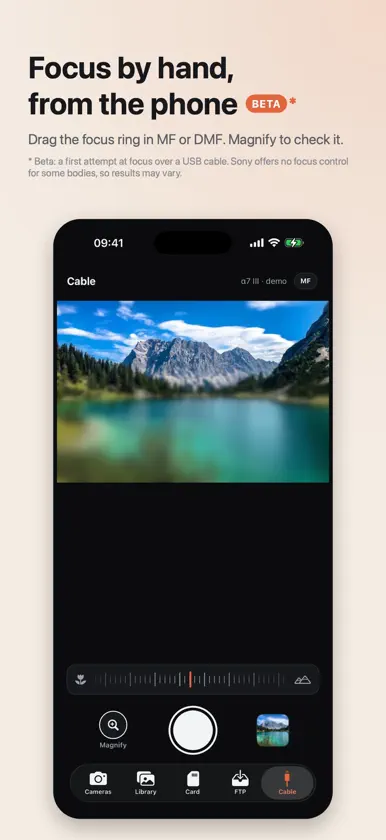
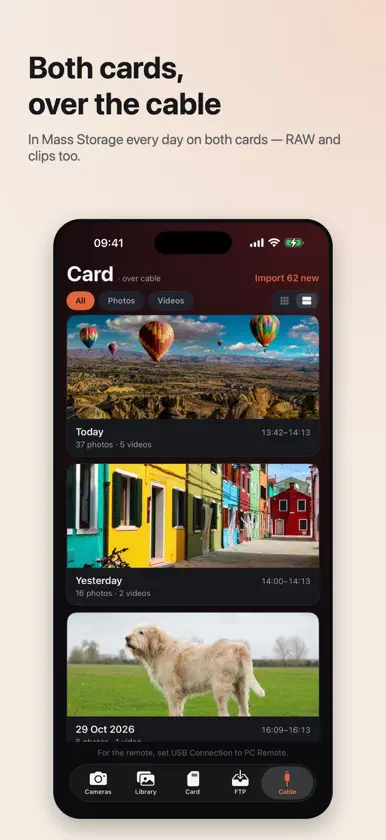
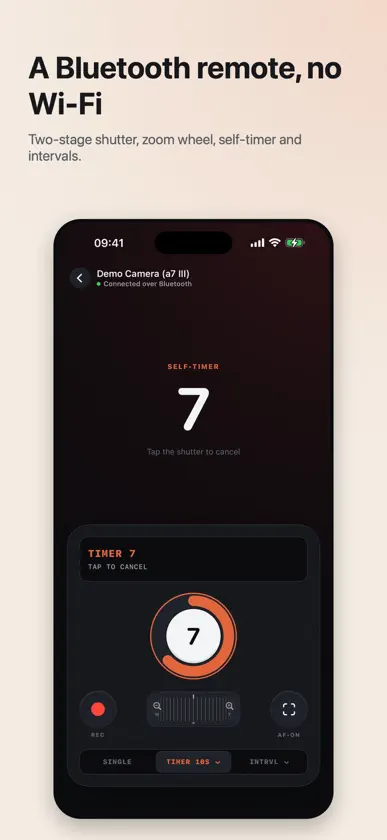
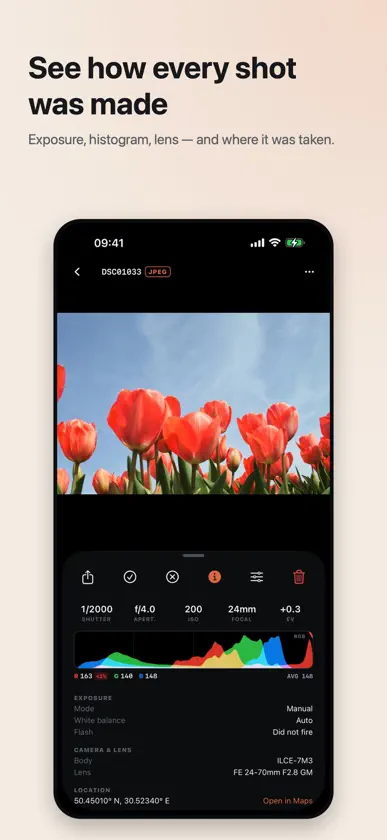
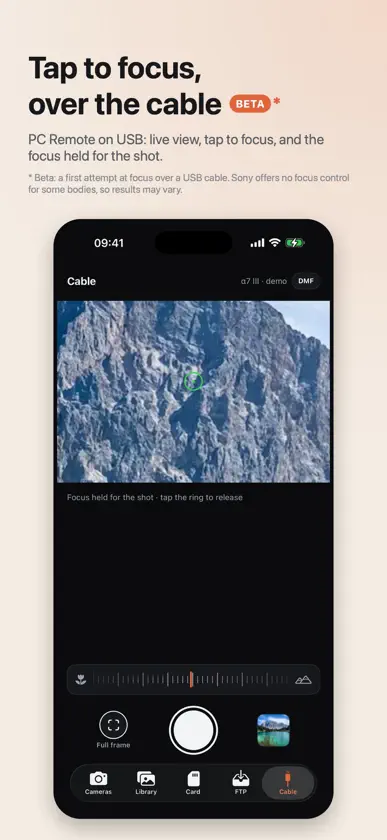
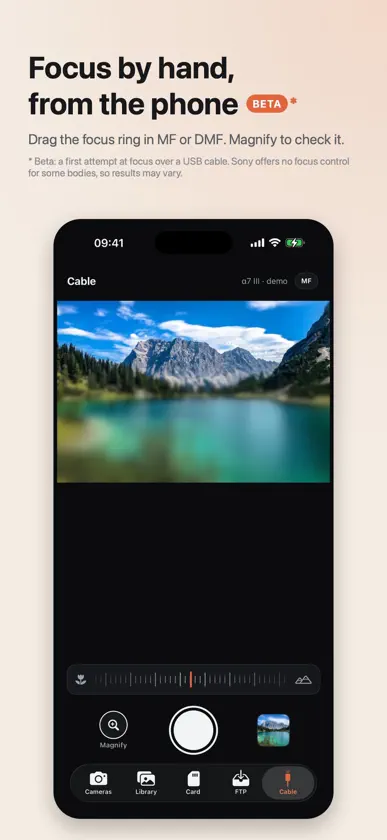
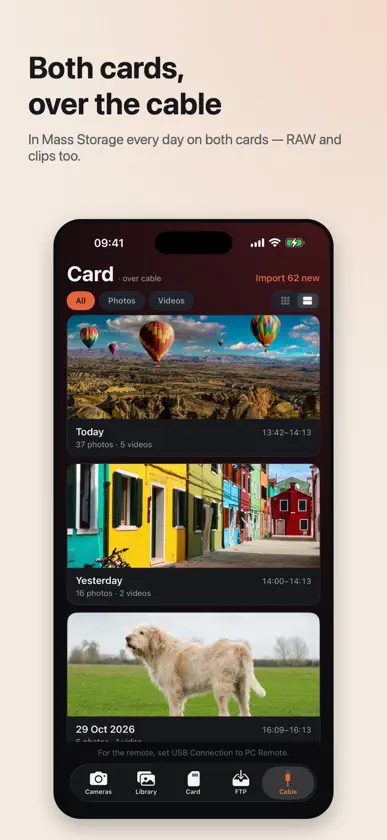
MODERN CONTROLS FOR OLDER SONY CAMERAS Many older Sony cameras are still excellent—but the apps available for them are often limited, outdated or no longer supported. Camera Red gives compatible cameras a modern companion app with live view, full remote control, advanced timelapse shooting, memory-card browsing and several ways to transfer photos to your iPhone. REMOTE SHOOTING FROM ANYWHERE Connect directly to your camera over its own Wi‑Fi and use your iPhone as a wireless viewfinder. See the live image, release the shutter, control focus and adjust shutter speed, aperture, ISO and white balance. Settings are placed on dials you can drag instead of tapping through values one at a time. Frame the picture, focus and take the shot without standing behind the camera. CREATE TIMELAPSES YOUR CAMERA CAN’T Add interval shooting to cameras that do not have it built in. Choose the interval and number of frames, and Camera Red shows the total shooting time and finished video length before you begin. While the timelapse is running, scrub through the captured frames to watch the light and scene change. When shooting is complete, the app assembles the video automatically. Every frame is kept, so you can rebuild the timelapse later at a different frame rate—or at a higher resolution after transferring the full-size originals. BROWSE THE MEMORY CARD Explore your camera’s memory card by date or folder, select the photos you want and transfer them to your iPhone. If the camera offers several transfer sizes, you choose which version to download. RECEIVE RAW AND JPEG FILES AS YOU SHOOT Camera Red supports several ways of working with your files. Use the camera’s “Send to Smartphone” function to browse and download photos, or configure its FTP function to send RAW and JPEG files directly to the app as they are captured. FTP transfer can also work with supported cameras from other manufacturers. Nothing is uploaded to the cloud. Your iPhone is the destination. REVIEW EVERY SHOT Camera Red includes a complete photo library and viewer: • Pinch to zoom • View a histogram with numerical values • Check the exposure settings recorded by the camera • Pick or reject photos to quickly narrow down a session • Play videos • Share or save your files wherever you choose TRY EVERYTHING FREE FOR SEVEN DAYS Every camera feature is available free for seven days. After that, one purchase unlocks the complete app permanently—no subscription and nothing to cancel. Photos already stored on your iPhone remain accessible whether or not you purchase the app. A built-in demo camera lets you explore the app before connecting a real camera. CAMERA COMPATIBILITY Remote shooting requires a Sony camera that supports Sony’s Camera Remote API and includes “Ctrl w/ Smartphone” in its network menu. This includes many models released from approximately 2014 to 2019, such as: • Sony α7 III and α7R III • Sony α9 • Sony α6000, α6300 and α6400 • Sony RX100 IV and later compatible models Memory-card browsing uses the camera’s “Send to Smartphone” function. Automatic file transfer requires a camera with FTP support. Available features may vary depending on the camera model, firmware and selected file format. Camera Red is an independent application and is not made by, endorsed by or affiliated with Sony Group Corporation.
What's new
Version 1.9.0 · Nov 11, 2026
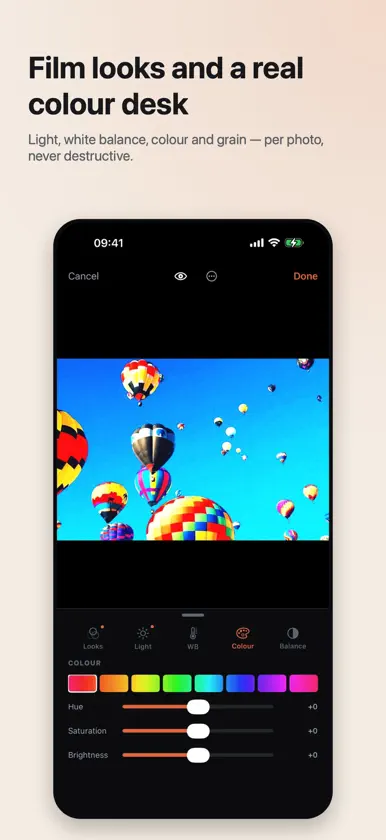
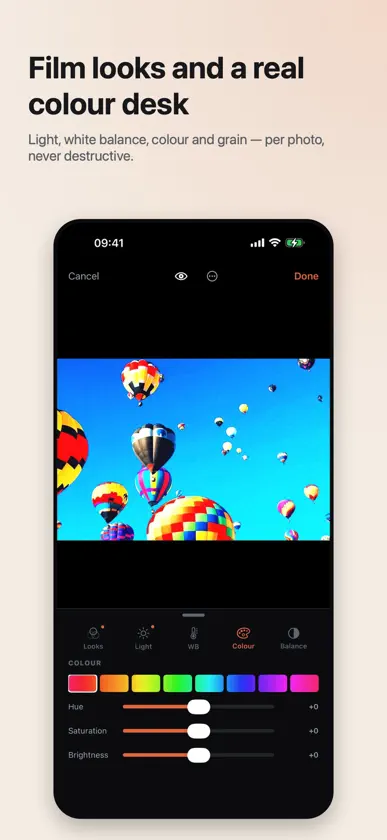
YOUR LOOK, EVERYWHERE Workflow (Library → ⋯, or Settings) keeps a few defaults — our looks, your own .cube files, or whole presets — and one of them dresses the viewfinder and every new photo from FTP, the card and the cable. Switch between them, or set them up, right in the viewfinder's MORE → Look, like a monitor's LUT slots. A new default dresses the photos that arrive after it, as a camera's LUT stays on what it shot; Switch earlier photos too restyles the ones before it as well. It goes on as an edit, never baked in: a photo's own edits, or None for this photo, come first. LOG LUTS ON RAW Shooting S-Log3? Set Workflow → Imported looks expect to S-Log3 and RAW files are developed into S-Log3 / S-Gamut3.Cine before your LUT, so a log LUT made for PP8 or PP9 looks right on RAW too. ADD LOOK Add look now heads the Looks shelf, in the editor and for a selection of photos: pick a .cube and it goes straight on them. A .cube opened from Files or AirDrop joins your looks too. ALBUMS Keep photos together in albums of your own, inside the Library: select photos and tap Album. An album is the same grid with the same filters; save it to Photos as an album there too. A CALMER VIEWFINDER The picture fills the width, with the camera's settings in one line under it, as in a viewfinder. Tap a figure and slide its scale; AUTO sits at the end of the ISO and white balance scales. MORE is one table: Shooting, Picture, Tools. IPAD Camera Red now runs on iPad: the viewfinder as a big monitor, the library in more columns, every orientation, Split View and Stage Manager. SMALL FIXES Pick and Reject on a selection now work as in the viewer: tap again to take the verdict back. A timelapse's first video no longer stops with a "couldn't be moved" error, white balance no longer jumps back after you let go of its scale, and in full screen the shutter sits beside the picture, never on it. The FTP setup's last step now says what the camera needs: FTP Function On.
In-app purchases
The most popular purchases on the App Store.
- Unlock Camera RedConsumable$2.99
More from Oleksii Baliuk


You might also like
 SameDay - PhotosMichael Gannon
 Relay Camera TransferReuring Groep B.V.
 RawShare: RAW TransferGLEB RIMMEL
 LutaroDmitrii Tarakanov
 InstaCarousel IOSanskar Tiwari
 StarlapseRustam SALAVATOV
 AlphaLuma - Film Recipes罡 丁
 Instacrop.appDorin Vancea
 Intervalometer for SonyRichard Buhmann
 Radiant Monochrome CameraRadiant Imaging Labs LP