
Screenshots



About this app
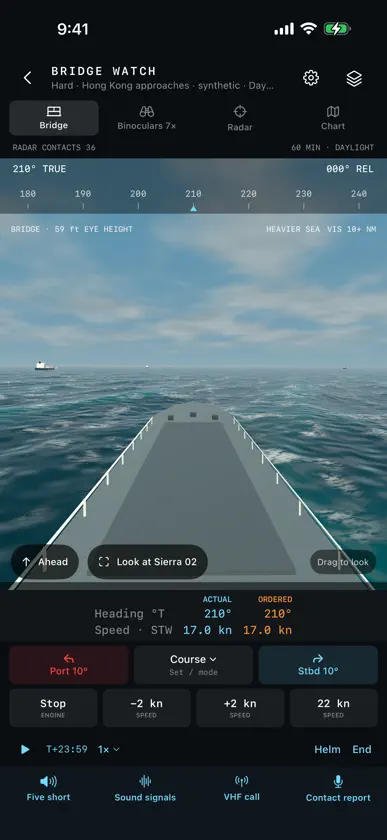
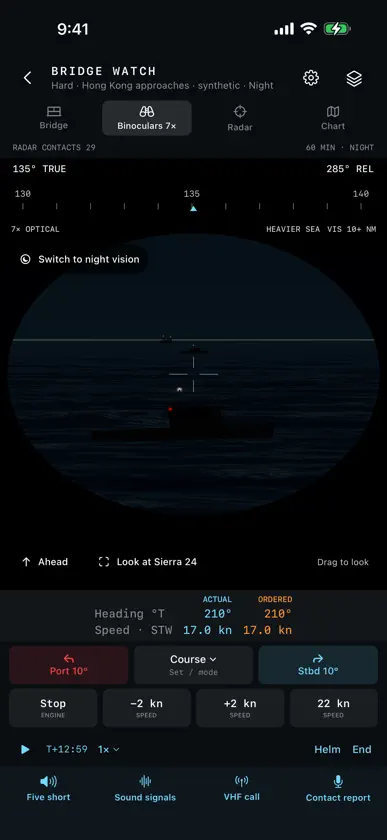
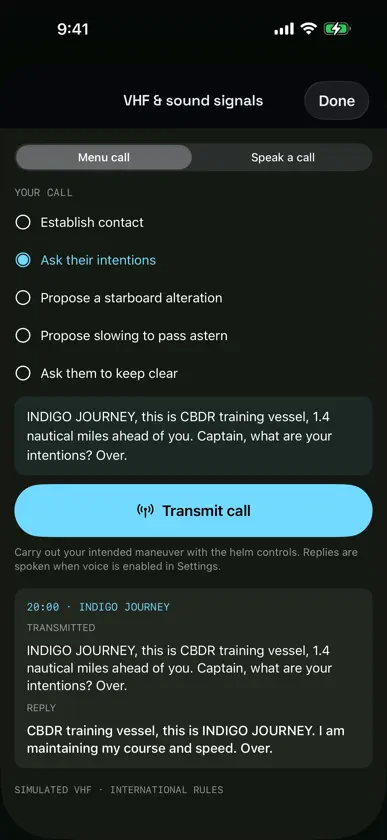
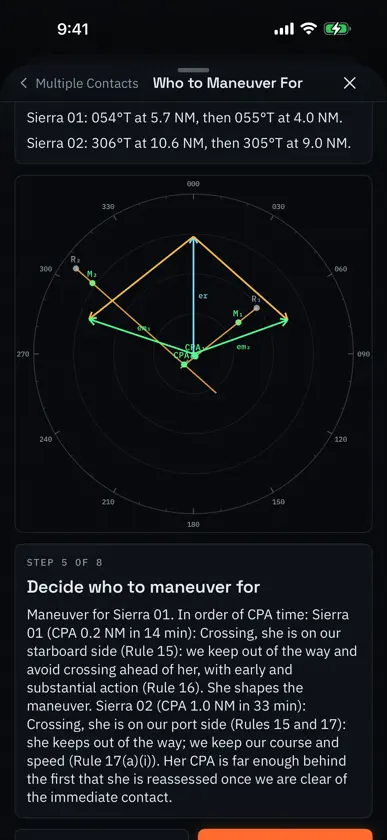
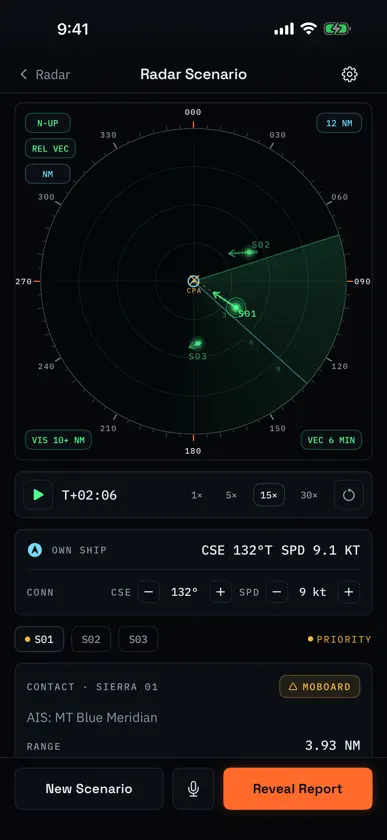
CBDR is a training app for junior deck officers, in thirteen subjects from a bridge watch simulator and radar to maritime law and testing. SIMULATION. Bridge Watch puts you on a ship's bridge for a 30- to 90-minute watch, by day or at night. Steer, order engine speeds and sound signals; keep a lookout by eye, binoculars and night vision; work the radar and chart; call ships on VHF by menu or voice. Traffic, current, rain and fog vary between watches. The recap shows every track, order, signal and call. An instructor can assign a watch and collect recaps by QR. Requires iOS 18. RADAR. Practice contact assessment, CPA, relative motion and contact reports. Build a picture of up to six contacts and share it by code or QR. Give a report by voice with on-device recognition, or type it. A Rule 17 drill stops the scope where the stand-on vessel must keep her course and speed, where she may act, and where she must. Eleven explainers cover the signal, receiver controls and propagation. RULES. Practice the 954-question Rules of the Road bank and read the governing Navigation Rules in the app. Optional Guided Practice directs questions toward material that needs more work. Lights, shapes and sound-signal drills include their rules. MANEUVERING BOARD. Work nine Pub 1310 problem types with step-by-step constructions, including stationing, limiting range, bearings-only TMA, advance and transfer, and wind. CPA avoidance follows the Rules. Multiple Contacts puts two or three contacts on one board with one action and each contact's rule, plus four worked examples. Practice a generated problem, enter your own values, or print a problem set with an answer key. CALCULATIONS. Time, speed and distance, compass conversion, mental minute rules, visibility, anchoring, time zones, ETA and speed of advance. POSITIONING. Visual and radar fixes, soundings, celestial navigation, inertial navigation, GPS, AIS, the fathometer, running fixes, dead reckoning, and set and drift, with plots built step by step. Study aids to navigation with an animated range and recognition practice. Search Chart No. 1. Star Finder identifies navigational stars from the camera's star pattern, without using your position. TIDES AND CURRENTS. Animated lessons on tides, reversing flow in San Diego Bay, rotary currents, and hydraulic flow in the Cape Cod Canal. A lookup retrieves NOAA and Canadian Hydrographic Service station predictions, saved for offline use and export. SHIPHANDLING. Animated lessons on the propeller and rudder, the pivot point, tugs, and twisting off a pier. Man-overboard recoveries step through the Anderson, Williamson and racetrack turns. Lessons on bank cushion and suction, interaction alongside an oiler, and squat. VESSEL IDENTIFICATION. Recognize ship classes and vessel types from silhouettes, photographs, or both. Marked Beta. Images carry source and license credits. WEATHER AND WAVES. Bowditch's weather on a rotating globe, from the wind belts and fronts to fog, tropical cyclones and Buys Ballot's law. Waves: how they form, travel, shoal and break. MARITIME LAW. Six pages from UNCLOS, SOLAS, MARPOL and STCW: where the rules come from, the maritime zones, passage rights, flag and port state, and warships and assistance at sea. VISUAL SIGNALS. Signal flags and pennants, hoists decoded from Pub. 102's examples, and Morse by light. TESTING. Build a test from any topic in the app, including questions of your own. Host and join group tests by QR or text code, offline, and export the instructor's record as PDF or CSV. Print a test with its answer key. Hosted exams reveal answers afterward. Training works offline. The station-prediction lookup uses the internet when requested, including Apple's map service. No account, advertising, analytics or tracking. Training settings, optional practice progress, custom scenarios, saved tests, saved predictions and a saved unfinished watch stay on the device. There is no history of session scores.
What's new
Version 2.4 · Nov 6, 2026
• Simulation, a new subject, holds Bridge Watch: stand a 30-, 45-, 60- or 90-minute watch on a ship's bridge, by day or at night, at Easy, Medium or Hard. Steer by course or rudder, order engine speeds and sound signals. Keep a lookout from the bridge, through binoculars or night vision, and work the radar and the chart. Traffic, current, rain and fog differ from watch to watch, in open water and in synthetic traffic separation schemes. Ships give way or stand on under the Rules of the Road; on Medium and Hard, some do not. Requires iOS 18. Turn it on in Settings → Training. • Bridge Watch VHF: call a vessel from the menu or speak the call. On-device recognition shows the call as heard, and the vessel answers after you confirm it. Record contact reports and compare each with the generated reference report. • Bridge Watch recap: every track, closest approach, helm order, sound signal, VHF call and contact report, with a note when visibility stayed below 1 NM for two minutes without restricted-visibility signals. Save and exit an unfinished watch and resume it later. • Classroom: an instructor hosts a watch and shows its assignment QR. Each student runs the same scenario and returns the recap as a sequence of QR codes, with no network. Recaps are not graded and are held on the instructor's device while the class is open. • Maneuvering board: Multiple Contacts is a new problem type, two or three contacts on one board with one course and speed for the whole picture. The explanation names each contact's situation and rule and says who to maneuver for. Four worked examples sit beside it. It is also in Enter a Problem and on printable sets. • CPA Avoidance now gives the answer the Rules allow and explains why. Head-on and crossing problems turn to starboard and pass astern of a crossing ship; an overtaking problem turns away from her. When you are the stand-on vessel, the problem says so: hold course and speed first, then the course Rule 17 permits. A course on the side the Rules forbid is marked wrong. • On a phone, explainer pages turn to landscape with the steps beside the drawing, and the tide station graph turns to landscape. The home screen, the Radar trainer and the other screens stay in portrait. • Fix: a QR scan error clears when a later scan succeeds.
You might also like
 Neptune: Navigation RulesBrice Brown
 SeaSmart: Rules of the RoadNicholas Co
 ShellbackProgram Executive Office for Enterprise Information Systems, Sea Warrior Program
 USCG Exam PrepEquitable Management Limited
 Master-NavPeterjohn Chisholm
 The Nautical School ExamTutor+The Nautical School
 Sea Trials: USCG License ExamMariner License Prep, LLC
 MyNavy MessagesProgram Executive Office for Enterprise Information Systems, Sea Warrior Program
 NAVADMIN ViewerAnson Liu
 ASTB PrepAlex Hastings