
Data Display
masaki individual
No ratings yetUtilitiesAges 4+
Screenshots


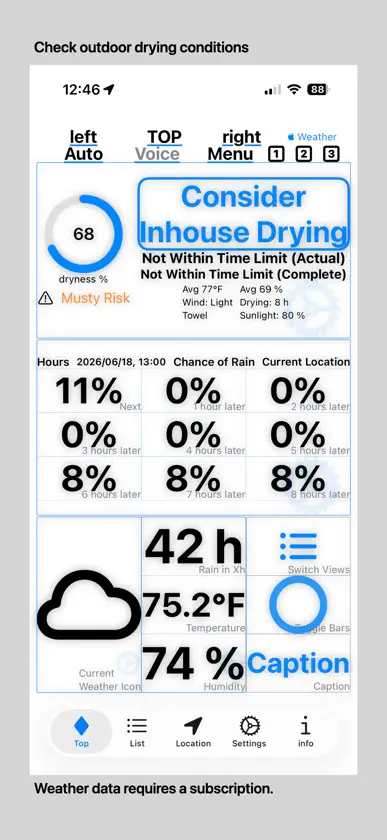
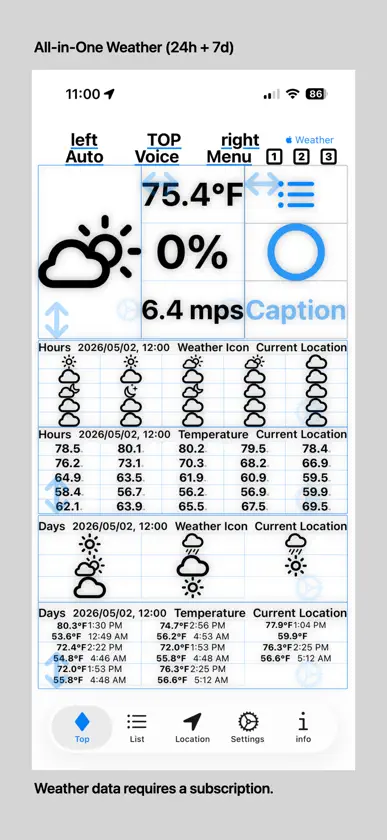
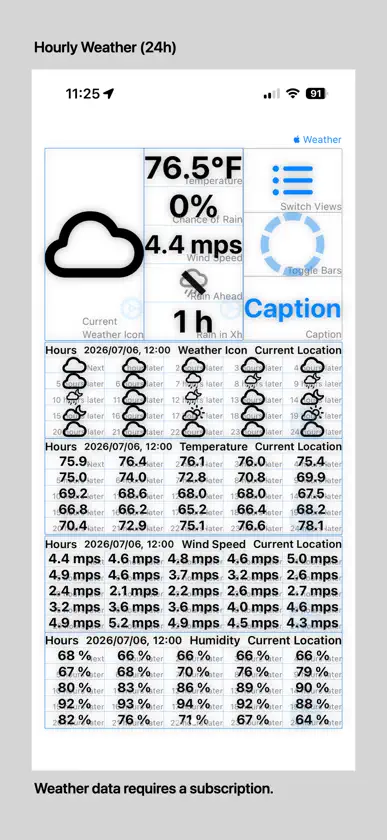
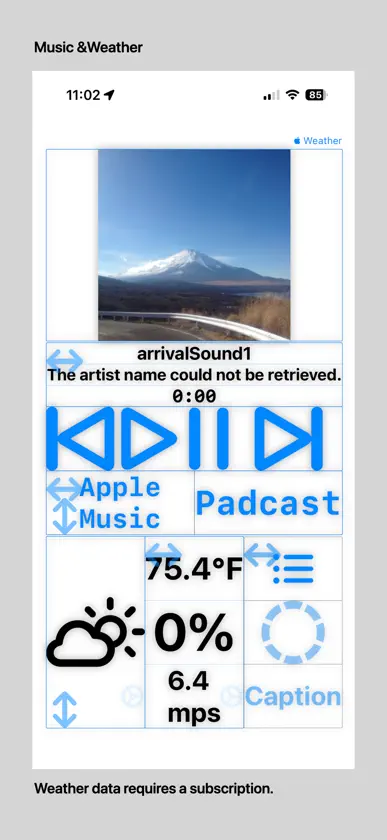
About this app
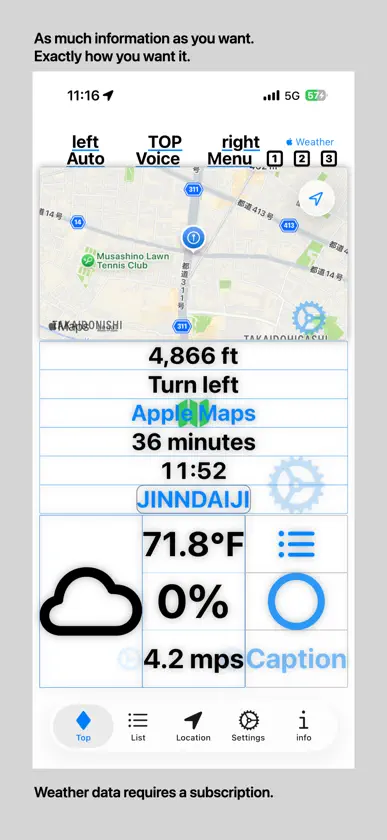
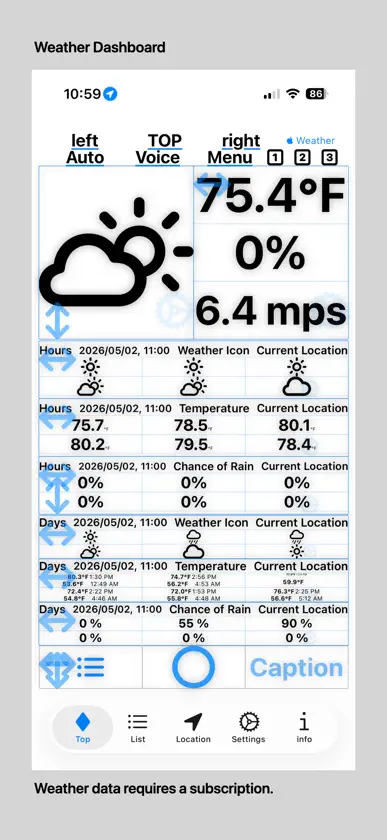
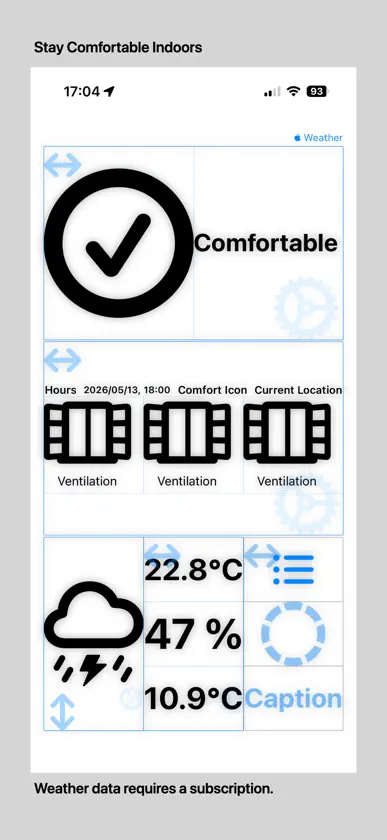
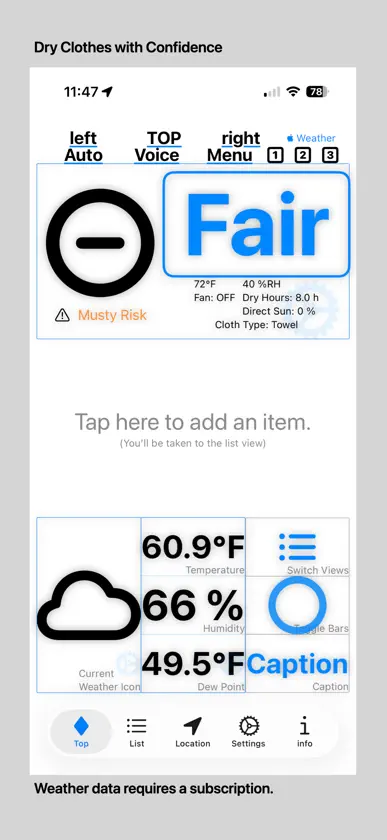
Data Display Organize and view all kinds of data from your iPhone or iPad at a glance! The core features are free to use, and with a subscription or an Apple Music account, you can also display weather and music information directly on the screen. Key Features • Create multiple screens and switch between them with a simple tap • Automatically adjusts the display for portrait and landscape orientations • Show or hide items on each screen for a personalized layout • Sensor and location data are regularly updated to provide the latest information • Quickly switch screens to access the data you need • Weather information is available with an in-app subscription • Music information requires an active Apple Music subscription Basic Usage • Tap the “List” tab • Tap the “+” button to add a new item, or tap an existing item to edit • Set the name and icon on the item’s detail screen • Choose the number of rows and columns to display on “Main1–3” screens • Select which items to show from the category list and turn off the ones you don’t want • Changes are automatically saved when you return to the main screen Main Data You Can Display • System Information: Battery level, date/time, display mode (Light/Dark/Auto), device orientation, voice guidance, network status, brightness, memory usage, etc. • Location Information: Latitude/longitude, speed, altitude, heading, reverse geocoding, GPS elapsed time, graph display, etc. • Weather Information (subscription required): Temperature, humidity, rainfall, sunrise/sunset times, forecast, wind speed/direction, sunlight level, etc. • Route Guidance: Multiple destinations, estimated arrival times, route selection, highways/toll roads, Apple Maps integration, voice guidance, etc. • Map Display: Current or custom location maps, standard/satellite/hybrid views, zoom, north-fixed orientation, route target display, etc. • Music Information (Apple Music required): Title, album, artist, playback status, cover art, play/pause/skip controls, shuffle registration from recently added Apple Music tracks, etc. Recommended For • Users who want to organize all their iPhone/iPad data on a single screen • Users who need to view multiple types of data simultaneously • Users who want a fully customizable information display • Users who want to combine weather or music information with other data Note: If you upgrade to a higher subscription plan, any requests you have already used during the current month will count toward the new plan's monthly limit. Requires iOS 17.6 or later. Terms of Use (EULA): https://masakiapp.seesaa.net/article/EULA.html
What's new
Version 2.000 · Nov 3, 2026
Function addition and function improvement - Fixed minor issues and improved stability. - Added support for iOS and iPadOS 27.2.
In-app purchases
The most popular purchases on the App Store.
- 30,000 Monthly RequestsSubscription · 3 days free trial$5.99 / month
- 20,000 Monthly RequestsSubscription · 3 days free trial$3.99 / month
- 10,000 Monthly RequestsSubscription · 7 days free trial$0.49 / month
More from masaki individual


You might also like
 やさしいバッテリーTakanari Yamazaki
 stockword2Infigate.Co.Ltd
 TelescopureTakuto Nakamura
 車のメンテナンス記録SHOHEI KAWAKAMI
 Photo Cleaner - Photos StorageCOOFIER TRADING LIMITED
 Battery Alarm & Runtimes AppRANIA ABDELALEEM
 Widgets For Lock Screen - Pro新雨 李
 Year Journey - 365 with CatsStannum
 Battery Log: Health & CyclesPhuc Pham
 +wattNextDrive Co.