
DocsToSpeech: PDF Read Aloud
鹏 陈
No ratings yetEducationAges 4+
Screenshots



About this app
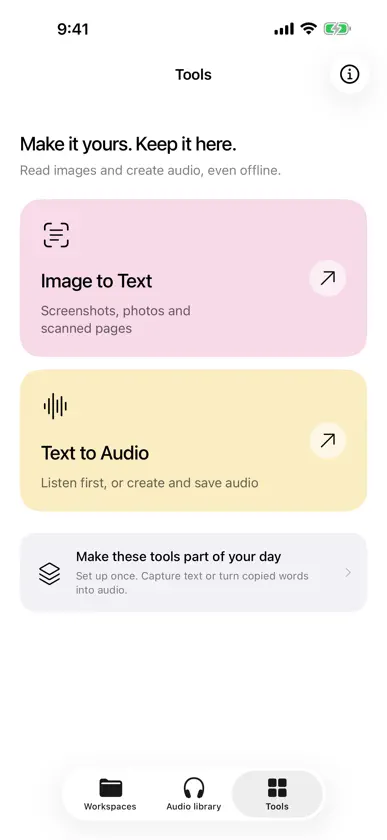
Turn your own documents into audio you can keep and replay. DocsToSpeech is for listening to your PDFs, EPUB ebooks, text, Markdown, photos and scans. Keep them in a workspace, prepare saved audio, and return to it on a commute, a walk, a workout or while doing chores. YOUR DOCUMENTS, READ ALOUD Check the extracted text, then create audio. Original files, text and audio stay in separate views, and you can export them. OFFLINE VOICES, SAVED ON THE DEVICE Built-in Chinese and English voices offer male and female options. You can also choose a system voice already installed on the device. Finished audio stays on the device, with no separate voice pack. Playing it again reads the local file. LISTEN THE WAY YOU PLAY MUSIC The audio library resumes, changes speed, repeats, uses playlists, sets a sleep timer and works from the Lock Screen. Preparing once means later playback does not synthesize again. PHOTOS AND SCANS TO TEXT Local recognition reads screenshots, photos, the camera, document scans or files. Compare the result with the original before you add it to a workspace. Check complex layouts and formulas against the source. A SPOKEN EXPLANATION, WHEN APPLE INTELLIGENCE IS AVAILABLE On an iPhone with iOS 26, Apple Intelligence turned on and the on-device model ready, selected text can be turned into a spoken explanation and then into one audio file. DocsToSpeech does not upload that material to its own servers. Without the on-device model, you can still listen to the original text. SHORTCUTS Run Recognize text offline and Create offline audio from iOS Shortcuts. The app includes setup guides. WHAT THIS VERSION DOES NOT DO There is no book catalog. Our own cloud explanations, accounts, credits and sync are not enabled. Finishing playback does not mean the material is mastered. Support: zhizuzhefu@foxmail.com


