
Duo Fold Counter
Julian Christopher Siebert
2.4(5)UtilitiesAges 4+
Screenshots
About this app
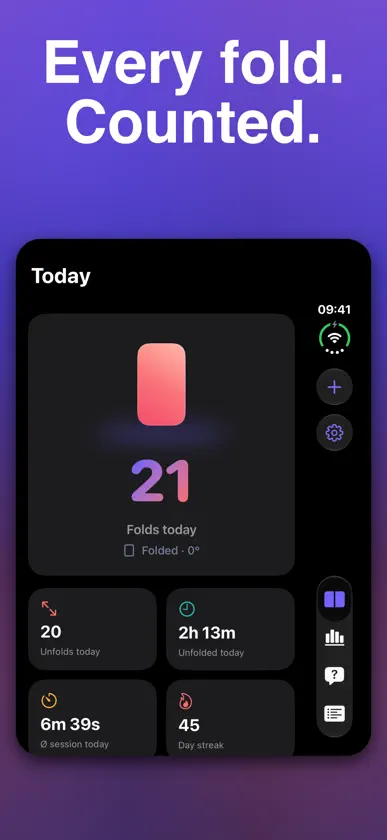
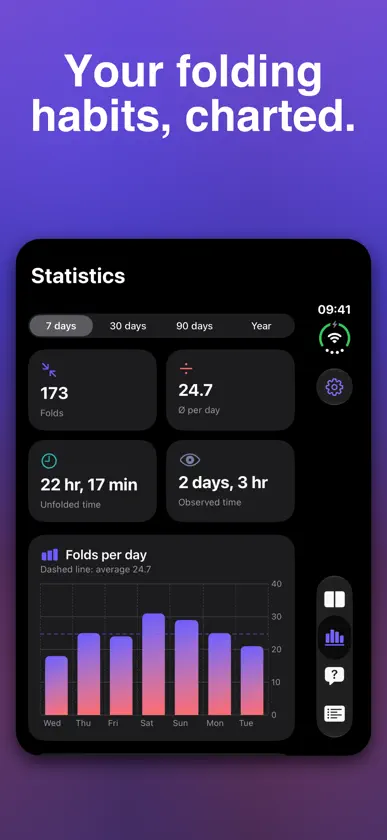
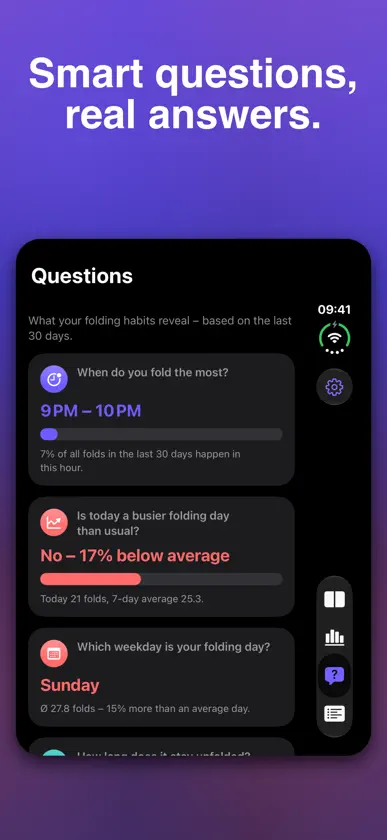
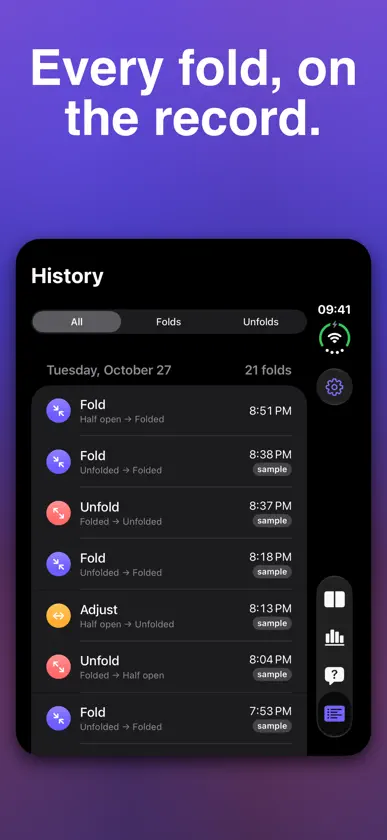
How often do you really fold your phone? Duo Fold Counter counts every fold and unfold of your foldable iPhone, turns it into clear statistics and shows you how much of your hinge's estimated life you've already used. COUNTS LIVE, CATCHES UP LATER While the app is open, it reads the system hinge sensor and counts every fold and unfold in real time. Folded it while the app was closed? When you come back, Duo Fold Counter notices the change and records it as an "inferred" fold, so your history stays complete. You can also log folds manually at any time. OPTIONAL: COUNT WITH SHORTCUTS Duo Fold Counter adds two actions to Apple's Shortcuts app: "Count Fold" and "Count Unfold". They run in the background without opening the app. Set up a personal automation once – Shortcuts → Automation → + → Display → "Opened or Closed" → Closed → Run Immediately → add "Count Fold" (and the same with Opened → "Count Unfold") – and every close and open of your iPhone Duo is counted, even when Duo Fold Counter isn't running. No location, no extra battery. Settings → "Shortcuts automation" adds the two ready-made shortcuts with one tap each and walks you through it. Requires iOS 27.2 or later. ALTERNATIVE: COUNT IN THE BACKGROUND Prefer not to use Shortcuts? Turn on "Count in background (GPS)" in Settings. iOS only lets apps keep running in the background with location, so while this is on the app keeps location active – you'll always see the location indicator – and detects folds with the magnetometer: the halves of your phone contain magnets, and closing it brings one close to the compass sensor. Folds detected this way get a "sensor" badge in your history. It's off by default and uses some extra battery. STATISTICS THAT TELL A STORY • Folds per day and your total over time • Time spent folded, half open and unfolded • Opening angles: tent, laptop or flat • How long your phone usually stays unfolded • Time of day, weekdays and a weekday × hour heatmap • Where you fold: a map of your fold spots and your top 3 places (optional) • Full history of every recorded fold QUESTIONS, ANSWERED The Questions tab turns your data into plain-language insights: • When do you fold the most? • Is today busier than usual? • Which weekday is your folding day? • How long does it stay unfolded? • Do you fold more on weekends? • How long would the hinge last at this pace? • Where do you fold the most? ICLOUD BACKUP & STARTING COUNT Signed in to iCloud? Your folds sync to your private iCloud, so your counts survive a reinstall or a new iPhone. Folded long before installing the app? Enter those folds and unfolds as a starting count in Settings – they're added to your totals, hinge lifetime and widgets. Today shows your folds total and unfolds total at a glance. ESTIMATED HINGE LIFETIME Set the rated number of folds (75,000 by default, adjustable) and see what percentage you've used and roughly how long your hinge will last at your current pace. WIDGETS & SHORTCUTS Keep your fold count and estimated lifetime on your Home Screen and Lock Screen. Log a fold from Shortcuts or Spotlight anytime. PRIVATE BY DESIGN No account, no tracking, no ads. Your data is stored on your device and, if you use iCloud, in your private iCloud database, which only you can access – the developer never sees it. Location is only used if you turn on background counting or "Record fold locations" – fold locations are stored on your device, and only place names are looked up via Apple Maps. MORE • English and German • Light and dark mode REQUIREMENTS Automatic counting requires a foldable iPhone with a hinge sensor. On other iPhones you can log folds manually and explore every statistic with sample data (Settings → Load sample data). Get to know your fold habits — download Duo Fold Counter today.
What's new
Version 1.2 · Nov 3, 2026
New: iCloud backup & starting count • iCloud backup: your folds sync to your private iCloud and survive a reinstall or a new iPhone (works locally without iCloud). • Starting count: add folds and unfolds from before you used the app in Settings – included in totals, hinge lifetime and widgets. • New "Folds total" and "Unfolds total" tiles on Today. New: count with Shortcuts • Duo Fold Counter now adds "Count Fold" and "Count Unfold" actions to the Shortcuts app. • Create a personal automation on "Opened or Closed" (iOS 27.2 or later) and every close and open of your iPhone is counted – even when Duo Fold Counter isn't running. No location, no extra battery. • Settings → "Shortcuts automation": add the two ready-made shortcuts with one tap and follow the short guide. • "Count in background" is now called "Count in background (GPS)" to tell it apart from Shortcuts. • Folds counted this way get a "shortcut" badge in History.


