
Echo by VoiceLab: Voice Typing
ZEHN AI, LLC
No ratings yetProductivityAges 17+
Screenshots


About this app
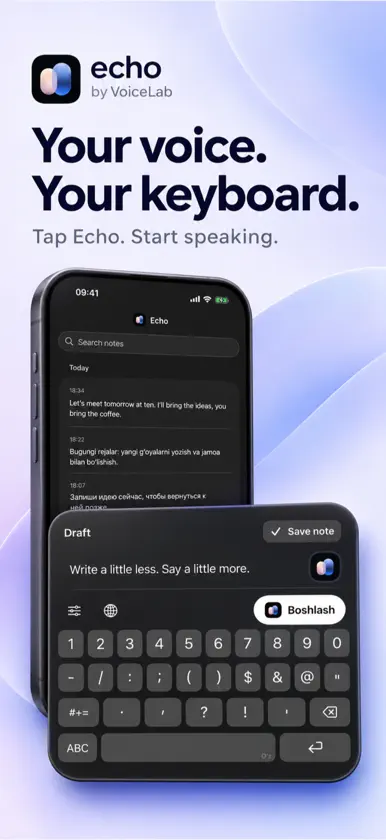
Turn speech into text across your iPhone with Echo by VoiceLab. Dictate messages, capture ideas, and write without stopping to type. VOICE TYPING FROM YOUR KEYBOARD Add the Echo keyboard and use voice input in apps that support third-party keyboards. Tap Start, speak, then insert the transcription into the text field. When iOS requires Echo to begin a microphone session, the app guides you back to where you were writing. AUTO-DETECT 33 LANGUAGES Let Echo automatically detect speech in 33 supported languages. You can also select Uzbek, Russian, or English directly. Recognition quality can vary by language, speech, and recording conditions. UZBEK, WRITTEN YOUR WAY Choose how new Uzbek transcriptions appear: • Current Latin — O‘, G‘, Sh, Ch • New Latin — Ö, Ğ, Ş, Ç • Cyrillic — Ў, Ғ, Ш, Ч The same preference applies in Echo and the Echo keyboard. Other detected languages remain unchanged. A KEYBOARD MADE FOR UZBEK Type with familiar QWERTY layouts, Uzbek letter options, word suggestions, and conservative autocorrection. Switch between current and new Latin keyboard styles when you need them. HISTORY AND DICTATION ACTIVITY • Browse and search saved transcriptions • Open and copy full text • Review dictation totals, words, active days, and streaks • See an estimated time-saved comparison based on a 40-word-per-minute typing baseline CLEAR RECORDING CONTROLS Keep the microphone ready between dictations for a faster keyboard workflow, or choose recording-only mode to release it after each take. End an active session from Echo, the keyboard menu, or Dynamic Island controls. Only audio captured during an active dictation is sent for transcription. GETTING STARTED Continue with Apple or Google, allow microphone access, then enable the Echo keyboard and Allow Full Access in iOS Settings. Transcription requires an internet connection and available account usage. Third-party keyboards may be unavailable in password fields, other secure fields, or apps that block them.
What's new
Version 1.0.1 · Nov 5, 2026
• Improved voice typing and keyboard session reliability. • Simplified keyboard settings. • Improved app stability.


