
InkLayer
Ho Lam Chung
No ratings yetProductivityAges 4+
Screenshots

About this app
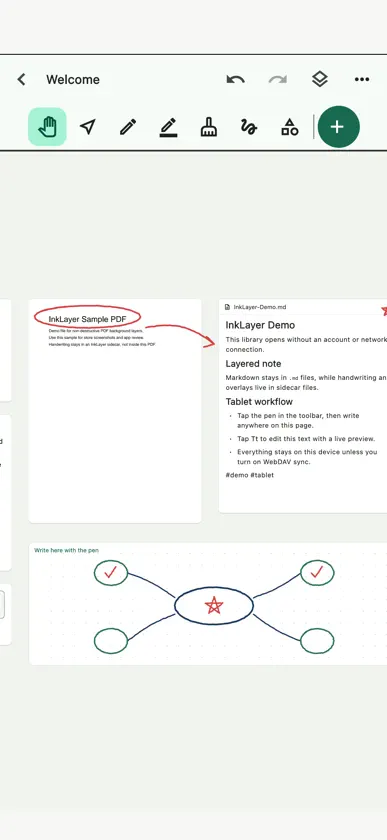
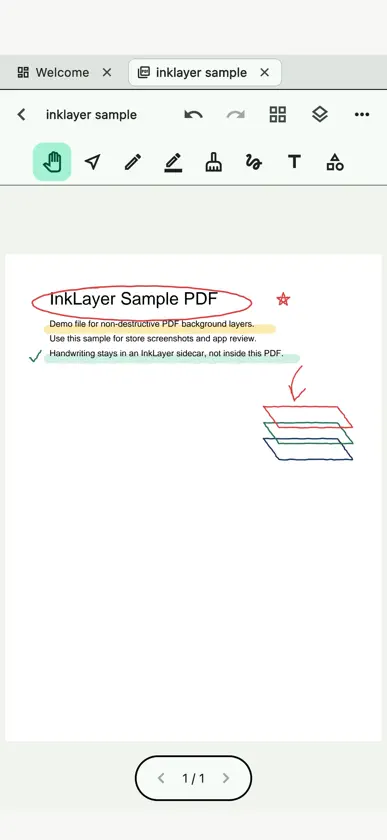
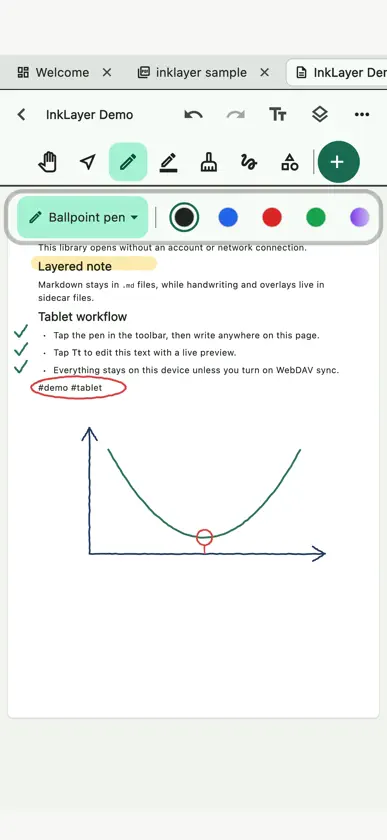
InkLayer is a notebook for reading, research and handwritten thinking. Handwriting, PDFs and Markdown notes share one canvas, and everything is saved as files you own. Write notes as real Markdown files. Open PDFs without modifying the original document. Draw with pens, highlighters, shapes and erasers on top of notes or PDF pages. Show, lock, reorder and fade layers so sources, handwritten derivations and your summaries stay separate. Core features: - A library of real Markdown files, kept on your device. - Handwriting and highlights on PDFs, with the original file untouched. - Select PDF text to copy, translate or add to a note, or draw a lasso around a passage to extract it into a note with its page number. - Shape recognition, a precision eraser, a full lasso (move, resize, rotate, recolor, copy and paste) and a laser pointer. - Layers with visibility, lock, opacity and order. - Markdown preview with math, wikilinks, tags, backlinks and a graph view. - Flowcharts: connect cards on a canvas with arrows. - Databases: organize documents in a table, filter and sort it, and export it as a PDF. - Handwrite while recording and replay the ink with the audio; make transcripts on the device and turn on live captions in class. - Search across your library, including text inside PDFs, recording transcripts and handwriting recognized on the device. - Sync through iCloud, Google Drive or your own WebDAV server; conflicts keep both versions. - Present a PDF or a canvas full screen with your handwriting on it: a laser pointer, a pen for writing on the slides, and pages turned from the keyboard or a presentation remote. - Open PDFs and Markdown files in InkLayer straight from Files, Mail, Safari and other apps. - E-ink mode: grayscale, high contrast, no animation. - Export and import your whole library without an account. Translation needs iPadOS 18 or iOS 18 and later; transcripts and live captions need iPadOS 26 or iOS 26 and later. Free to download, with every feature: handwrite in 3 documents for free. InkLayer Lifetime is one purchase that removes the limit, and every future on-device feature update is included. Nothing you write is ever locked. No account is required and there is no tracking or ads. Handwriting recognition, transcripts and translation happen on your device, and your library stays portable.
What's new
Version 1.4.0 · Nov 13, 2026
1.4 版新功能: ・拿起 Apple Pencil 就能寫:文件打開就是筆,手指負責移動和縮放;在 PDF 上用手指長按照樣能選字 ・筆刷列直接畫出每一種筆的筆跡,拖動粗細就看得到筆畫;新增「我的筆」,一點換好筆種、顏色和粗細 ・找功能,打字就到:在圖書館搜尋、往下拉或按 ⌘K,輸入「掃描」「錯題」「心智圖」就能直接用 ・同步狀態說人話:「只存在這台 iPad」「已同步到 Google 雲端硬碟,3 分鐘前」,同步失敗會用橙色提醒 ・圖書館新增「最近」,畫布縮圖看得到手寫內容;工具列把書寫工具排在前面,「新增」移到標題旁 ・設定 › 關於 新增「回報問題」,自動附上 App 版本、裝置型號與系統版本 ・錄音時鎖定螢幕或切到其他 App,錄音會繼續;來電結束後會接著錄 ・免費版會在圖書館顯示已用幾份手寫文件,寫到上限的那一筆會保留下來 謝謝每一位給我們建議的人。
In-app purchases
The most popular purchases on the App Store.
- InkLayer LifetimeConsumable$19.99


