
Lo Deck
Louis van de Wiele
No ratings yetUtilitiesAges 4+
Screenshots
About this app
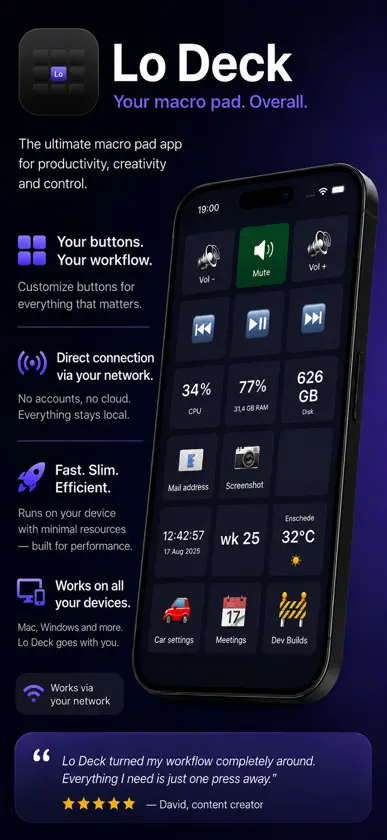
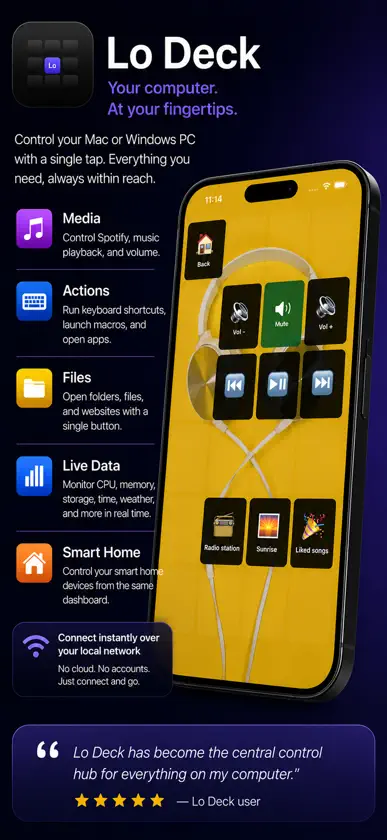
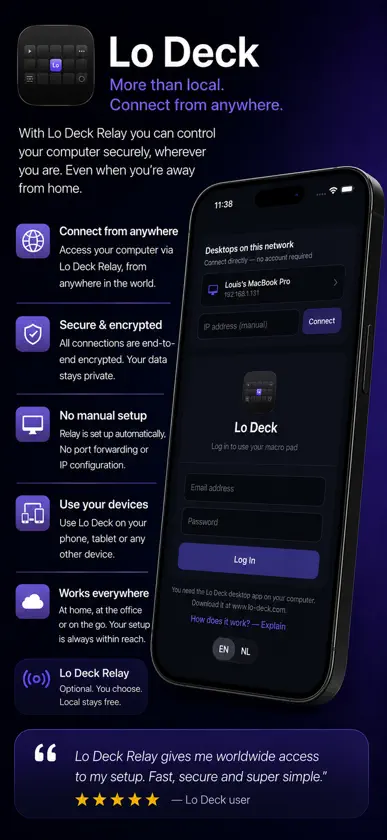
Lo Deck turns your iPad or iPhone into a customizable control surface — a "macro pad" — for your computer. Design a grid of buttons in the free Lo Deck desktop app (macOS & Windows), then tap them on your tablet to run actions on your computer in real time. • Live data on every key — CPU, memory, free disk, a clock, the battery, weather and more. • Three triggers per key — tap, long-press and double-tap each fire a different action. • Media & app control — play/pause, volume, launch apps, fire keyboard shortcuts. • Smart home & car — webhooks and Tesla climate from a button. • Pages, folders & themes — organize hundreds of actions; recolor keys, add emoji or images. • Page backgrounds & translucent buttons — give a page its own background image (fill / contain / stretch) and let buttons show through translucently. • Live-value tiles — show any number from an HTTP/JSON API or a shell command. Connects locally on your own Wi-Fi network (no account), or from anywhere via your Lo Deck account. This is a companion app: it needs the free Lo Deck desktop app running on your computer.
What's new
Version 2.2.0 · Jul 4, 2026
Button themes — restyle your whole deck in one go. Pick Neon Glow, E-ink, Glass, Flat, Keycaps (3D) or Classic. Themes auto-colour your buttons by type (media, system, weather, car…) and set shape, glow and mood — for the whole deck, per page, or even per button. Also: your app settings (theme, display, tablet) now follow your account, so they come back on all your devices. Plus various minor improvements.
You might also like
All apps like Lo Deck → SMSNodeVasilii Marfin
 Docrux: Document OrganizerDmitrii Kostin
 PC ScreenshotterTim Heuer
 SD InclinometerSD Enerji
 Dutch RoseDutch Rose Media
 Device Scanner: Signal Metergoktu yasar
 Docksy: Macro DeckDYAL SINGH
 DeskTap Stream DeckAlperen Turker
 Syncount - Shared CounterWKHack LLM
 SplitBoardVladislav Rzhevicky