
Load Analyzer
Eye1 Global Service LLC
4.3(9)EducationAges 4+
Screenshots



About this app
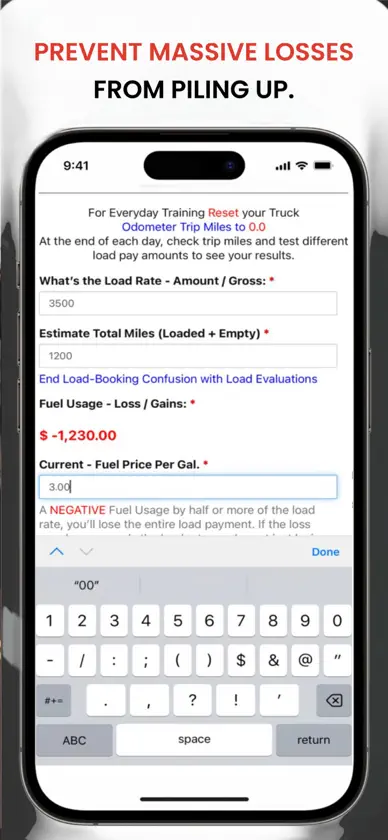
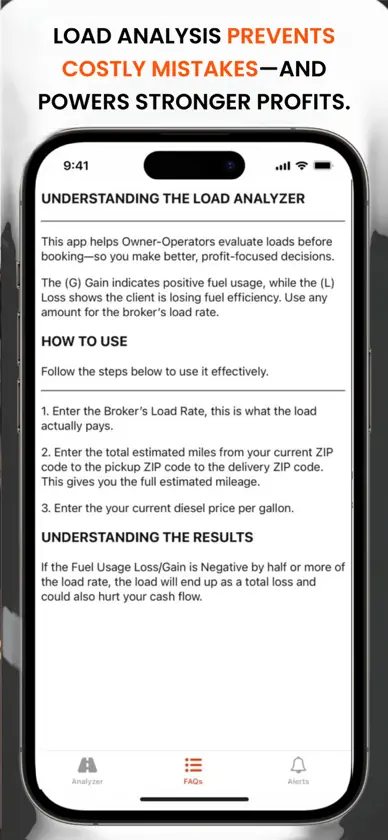
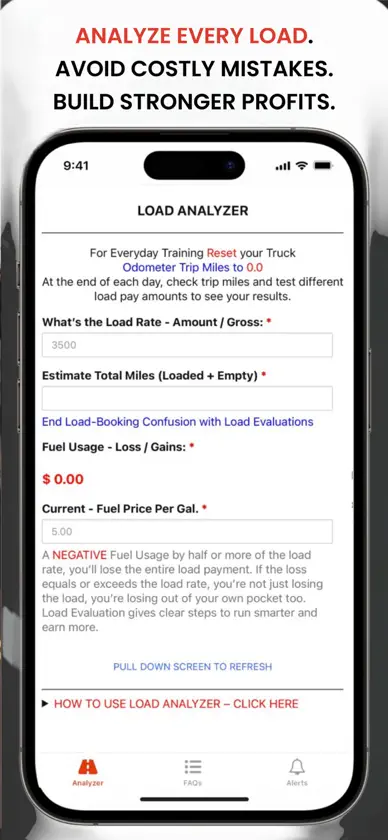
The (G) Gain indicates positive fuel usage, while the (L) Loss shows the client is losing fuel efficiency. Use any amount for the broker's load rate. HOW TO USE Follow the steps below to use it effectively. 1. Enter the Broker's Load Rate, this is what the load actually pays. 2. Enter the total estimated miles from your current ZIP code to the pickup ZIP code to the delivery ZIP code. This gives you the full estimated mileage. 3. Enter the your current diesel price per gallon. UNDERSTANDING THE RESULTS If the Fuel Usage Loss/Gain is Negative by half or more of the load rate, the load will end up as a total loss and could also hurt your cash flow.
What's new
Version 3.9 · Nov 6, 2025
Bug fixes and Improvements
More from Eye1 Global Service LLC


You might also like
 Texts From Founding FathersCatloaf Software LLC
 My Ledyard Public SchoolsLedyard Public Schools, CT
 SaferTrainingSaferTraining LLC
 Funny Farm: toddler flashcardsDOG&FROG Educational preschool kids games for girls and boys, toddlers and babies
 Glass Identifier-AntiqueGlassLeiChain AI Limited
 Bible Way: Daily Study & QuizHoly Bible Apps
 MiniMed SimulatorMiniMed
 Encyclopedia : 25,000+ topicAnas Almomany
 EmpifyEmpify LLC
 Montgomery County TX SheriffMontgomery County Sheriff's Office