
Markdown Notes: Notepad Editor
Linh Phan Nhat Khanh
No ratings yetProductivityAges 4+
Screenshots





About this app
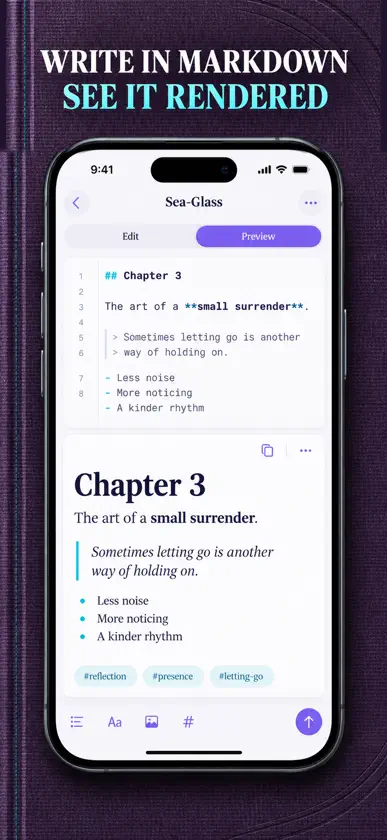
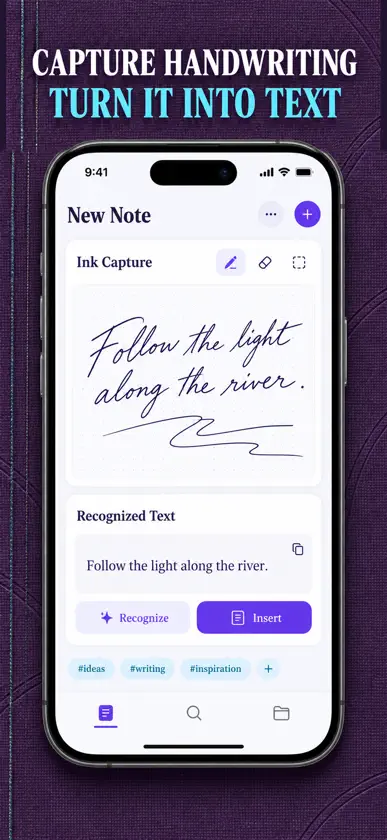
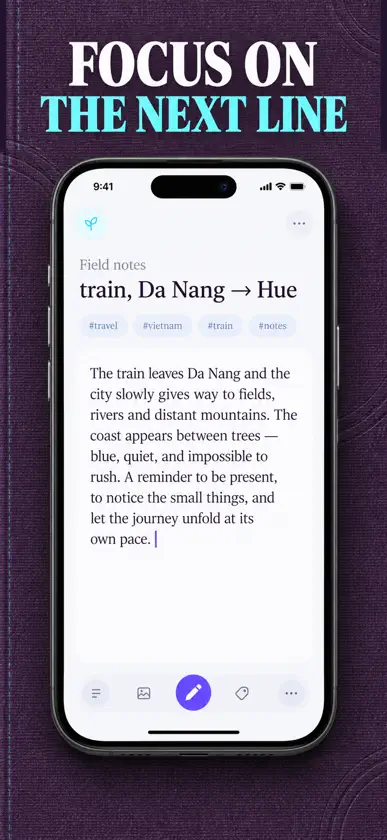
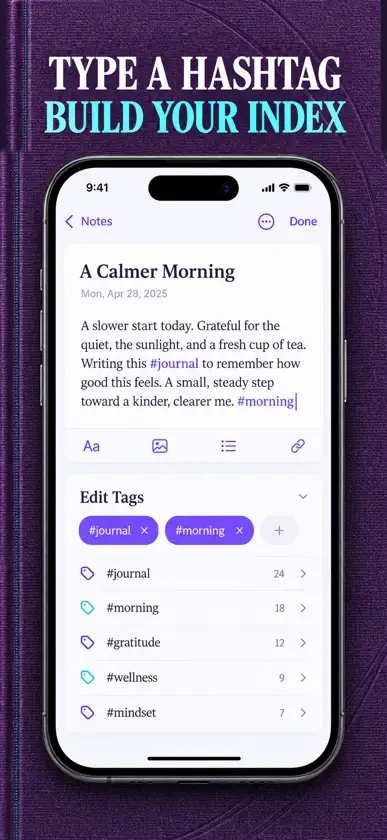
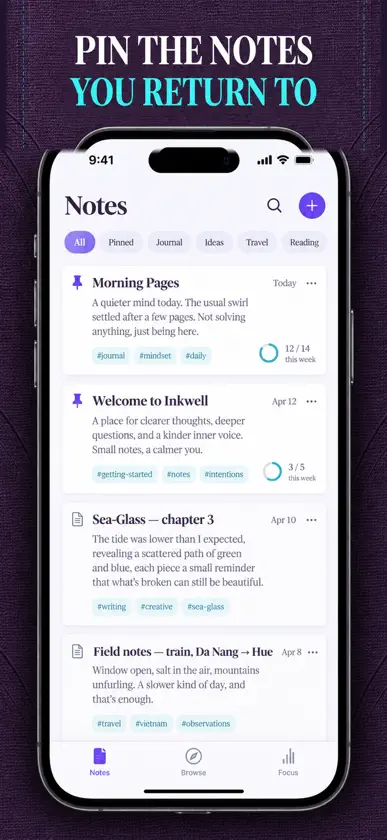
A calm, keyboard-first Markdown notebook that also reads your handwriting. Write plain text, see it render, and keep every page on your iPhone. THE EDITOR Type in plain Markdown and switch to a rendered preview whenever you want to see how it reads. Headings, bold, italic and lists are handled inline, so you never leave the keyboard to format a line. A live counter shows words, characters and an estimated reading time as you write. FOCUS MODE One tap hides the chrome and leaves you with the page. Set a word goal on any note and a quiet progress ring fills as you get closer to it. Turn the goal off on notes that do not need one. HANDWRITING CAPTURE Open the ink canvas and write with Apple Pencil or your finger. Inkwell reads the handwriting on the device and drops the recognized text straight into your note, so the words become searchable like anything else you typed. The original drawing is saved with the note. HASHTAG ORGANIZATION Type #project or #recipes anywhere in a note and the tag is picked up automatically. You can also add tags by hand. The tag browser builds a tree of everything you have used, with a count beside each one, so a whole topic is one tap away. FIND IT AGAIN Search runs across titles, bodies and tags at once. Filter by one tag or several at the same time, then sort by most recent, most recently created or by title. Pin the notes you come back to and they stay at the top of the list. STAYS ON YOUR DEVICE There is no account to make and no sign-in screen. Your notes live in local storage on your iPhone and are never uploaded to a server. WHAT IT IS GOOD FOR Daily quick notes, meeting notes, a writing habit, a second brain of reference pages, code snippets, journaling, lecture notes and travel notebooks. Markdown Notes: Notepad Editor requires a Premium unlock to write in. Premium opens the whole notebook: unlimited notes, the plain-Markdown editor with rendered preview and live word, character and reading-time counts, focus mode with word goals, handwriting capture on the ink canvas with on-device text recognition, the hashtag tree and tag browser, search with multi-tag filtering and sorting, pinned notes, and the local-only vault with no account and no sign-in. Plans: a weekly subscription, a yearly subscription, or a one-time lifetime purchase. Payment is charged to your Apple ID account at confirmation of purchase. A subscription renews automatically unless it is cancelled at least 24 hours before the end of the current period, and your account is charged for renewal within 24 hours prior to the end of the current period. You can manage your subscription and turn off auto-renewal in your Account Settings after purchase. Privacy policy: https://pnkl26.web.app/privacy-policy Terms of use: https://pnkl26.web.app/terms-of-service
What's new
Version 1.1.0 · Nov 12, 2026
• New five-tab layout: Notes, Library, Tags, Search and Focus • Handwriting capture turns your handwriting into text • Word goals, writing stats and a daily writing reminder • Premium unlock by subscription or lifetime purchase, plus fixes
In-app purchases
The most popular purchases on the App Store.
- Private Offline DraftsConsumable$29.99
- Tag Filter & SearchSubscription$2.99 / 7 days
- Focus Mode & Word GoalsSubscription$14.99 / year
More from Linh Phan Nhat Khanh
 TimeBuddy - World ClockLinh Phan Nhat Khanh
 Tuning Drone & Tanpura ToneLinh Phan Nhat Khanh
 Buddhism: Daily TeachingsLinh Phan Nhat Khanh
 Audio Bible: Listen & ReadLinh Phan Nhat Khanh
 Controller Fly for DJI DronesLinh Phan Nhat Khanh
 Skein Knit CrochetLinh Phan Nhat Khanh
 Fireplace: Crackling SoundsLinh Phan Nhat Khanh
 Telescope: Night Sky GuideLinh Phan Nhat Khanh
You might also like
All apps like Markdown Notes: Notepad Editor → Tasktastic: Daily and Beyond.Brett Bakker
 Bamboo: AI Markdown Notes志贵 陈
 Agentsy: AI Voice Note TakerAgentsy Pty Ltd
 Bento: Personal LibraryDon Kallail
 Acto|Handwritten PlannerMatsu LLC.
 Skein NotesTomasz Smieja
 Snapwell: Inspiration LibraryGustavs Cirulis
 Draw Calendar: Sketch PlanFishington Studios
 freewrite.Mohammad Farseen Manekhan
 Quick Capture & Notes - QeptWillem de Beijer