
Screenshots

About this app
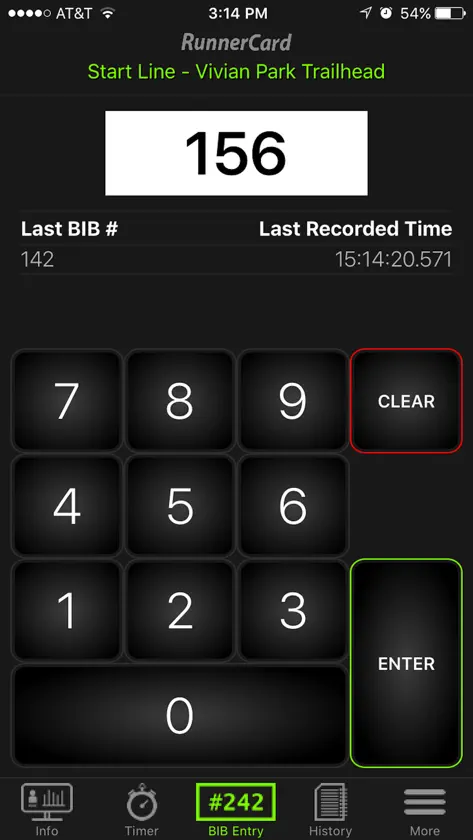
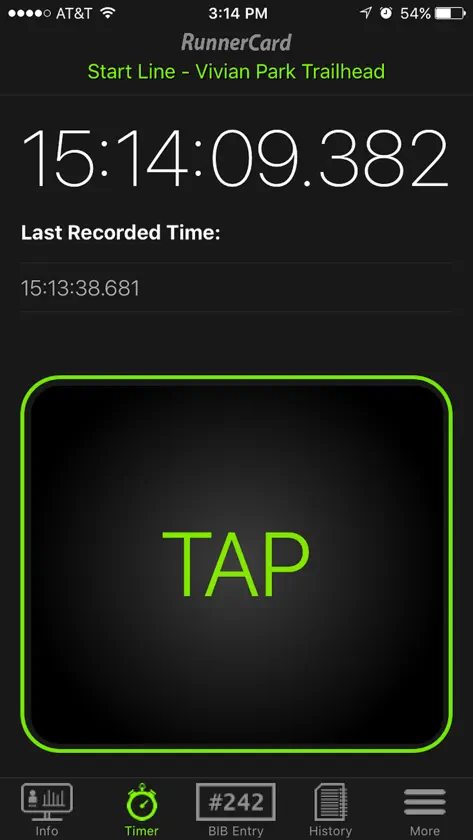
The RunnerCard Mobile Timing app is used in conjunction with RunnerCard Timing software available from RunnerCard, LLC. This app allows anyone to time racing events directly from their mobile device. To Get Started: 1. Download this free app. 2. Open the app and login to your event. 3. Input your Event's Invite Code.* 4. Select your Timing Location. 5. Follow any instructions on the Event Info screen for your timing location, and ... 6. Begin timing using either the Bib Entry Mode, Timer Mode, Scan Mode, or Gun Start Mode. If you don't know your event's "Invite Code" contact your event coordinator. If you are asked to help with a timing location that is password protected contact your event coordinator to gain access. * Validating an Event Invite Code requires you to be connected to the internet. Want to set up RunnerCard Mobile Timing for your racing event? Contact us at RunnerCard.com. - RunnerCard LLC - 2017
What's new
Version 1.4.3 · Nov 2, 2017
Fixed crash that occurred while accessing the Gun Start tool when the Gun Start Timing Location was not the first timing location in the list. Also implemented minor fixes and updates for iOS11.
More from RunnerCard, LLC

You might also like
All apps like Mobile Timing → XCMeetPacific Northwest Software
 Quick XC MeetBrian Seaver
 SportTraxsporttrax, inc.
 Webscorer Race TimerWebscorer Inc.
 The BattlegroundsZDI,LLC
 All Ball - Sports ManagementAll Ball LLC
 MyFreelapFreelap SA
 KSL SportsBonneville International
 Ollie - Team/Club ManagementOllie Sports, LLC
 Finished Results LiveChris Drescher