
PDF Scanner:Scan Documents OCR
WANHUHOU TECHNOLOGIES LIMITED
5.0(1)UtilitiesAges 4+
Screenshots


About this app
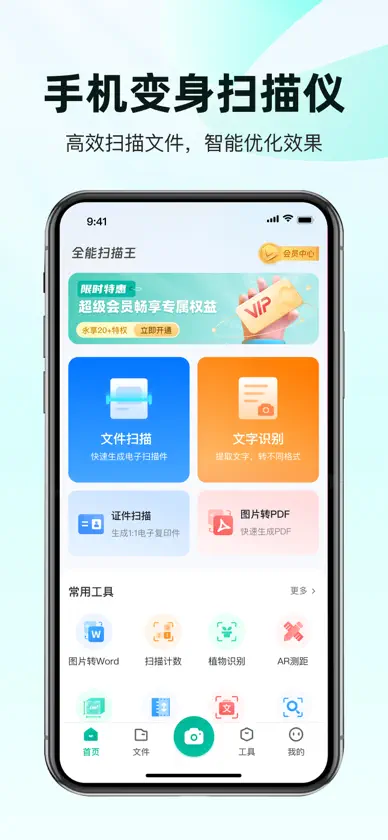
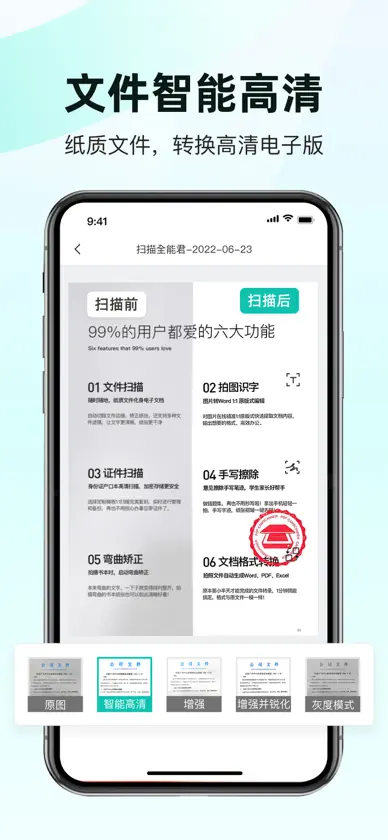
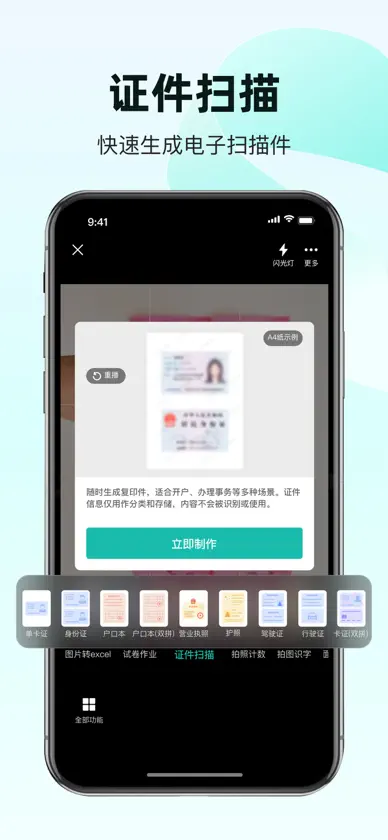
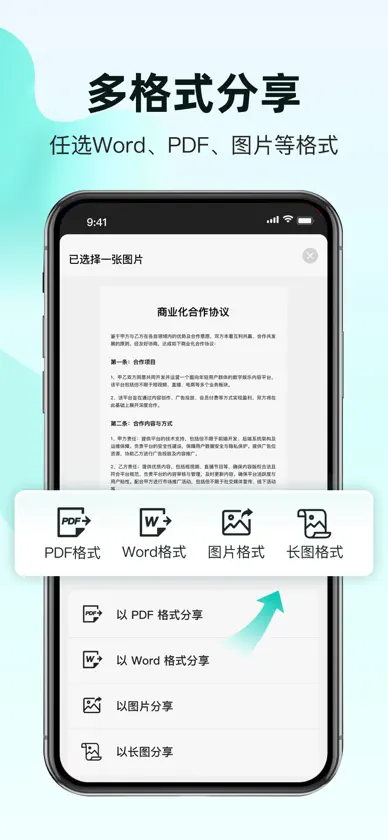
"PDF Scanner easily turns your phone into a smart scanning app. It allows you to edit documents immediately after scanning, such as cropping, rotating, highlighting, or applying filters. It is a powerful tool for white-collar workers, business people, accountants and students. In addition to scanning, it can also take ID photos, extract text using OCR, restore old photos, erase handwriting, read images, and perform AI counting. Document Scanner - Capture photos to convert ID cards, passports, receipts, newspapers, music scores, menus, screens, certificates, rental agreements, bills, blackboard notes, PowerPoint slides, printed documents, and licenses into PDF format - Easily convert between various formats according to your needs. For instance, scan documents and convert them to Word, PDF, TXT, PPT, or JPG effortlessly - With OCR Text Recognition, accurately extract text from photos. This enables you to edit, adjust, copy, export, or share the recognized text with ease - With the Paper Eraser function, you can scan test papers and instantly remove handwritten text - Take a photo of your documents and remove any wrinkles or stains - Special scanning features include distortion correction, orientation adjustment, re-cropping, defect cleanup, shadow removal and more - The Book Mode scan feature allows you to capture two pages simultaneously. For instance, you can scan multiple pages of a comic book into a single document and save it on your device - Edit your contracts using PDF Scanner, and share them with your customers along with notes Photo Restoration - Repair damaged old photos - Add filters to repaired old photos - Take your ID photos using the ID PHOTO MAKER Free Scanner App with AI Tools - Automatically count similar objects after capturing the items you want to tally - Use your camera to measure the width, height, or length of any objects - Export the results as PDF or JPEG - Manually adjust the results if necessary About Subscrittion - Subscribe to get access to all features of PDF Scanner. You will be charged after the purchase confirmation - Subscriptions auto-renew 24 hours before the expiration date. You can manage your subscriptions in account Settings on the App Store - Subscriptions may be managed by the user and auto-renewal may be turned off by going to the user's Account Settings after purchase - User Agreement: https://scan.juzan.info/index.php/useragreement?channel=apple - Privacy Agreement: https://scan.juzan.info/index.php/privacystatement?channel=apple - Member Service Terms of Use: https://scan.juzan.info/index.php/subscribeagreement?channel=apple - For any issues, please contact us by: hhh_tianyu@yeah.net
What's new
Version 4.0.8 · Oct 26, 2026
1.新增了一些图片处理功能; 2.App最低版本要求提升至iOS15; 3.修复已知问题;
In-app purchases
The most popular purchases on the App Store.
- AR PDF ScannerSubscription · 3 days free trial$9.99 / month
- 全能扫描王超级VIP会员Subscription$39.99 / year
- 全能扫描王超级VIP会员Subscription$0.99 / 7 days
- 全能扫描王超级VIP会员Consumable$59.99
- 全能扫描王超级VIP会员Consumable$69.99
- 全能扫描王超级VIP会员Subscription · 3 days free trial$7.99 / 7 days
- 全能扫描王超级VIP会员Consumable$19.99
- 全能扫描王超级VIP会员Consumable$24.99
- 全能扫描王超级VIP会员Subscription$2.99 / month
You might also like
 PTU2买家朔 赵
 小翼管家天翼数字生活科技有限公司
 微信输入法Tencent Technology (Shenzhen) Company Limited
 百度极速版Beijing Baidu Netcom Science & Technology Co.,Ltd
 百度-AI智能搜索Beijing Baidu Netcom Science & Technology Co.,Ltd
 QQ浏览器-腾讯AI浏览器Tencent Technology (Shenzhen) Company Limited
 中国电信-全国统一官方服务平台CHINA TELECOM Corporation Ltd.
 中国联通China United Network Communications Corporation Limited
 中国移动(手机营业厅)中移在线
 UU加速器-不止快 还很稳Hangzhou Bobo Technology Co Ltd