
Replicas
Replicas Group, Inc
5.0(2)Developer ToolsAges 12+
Screenshots



About this app
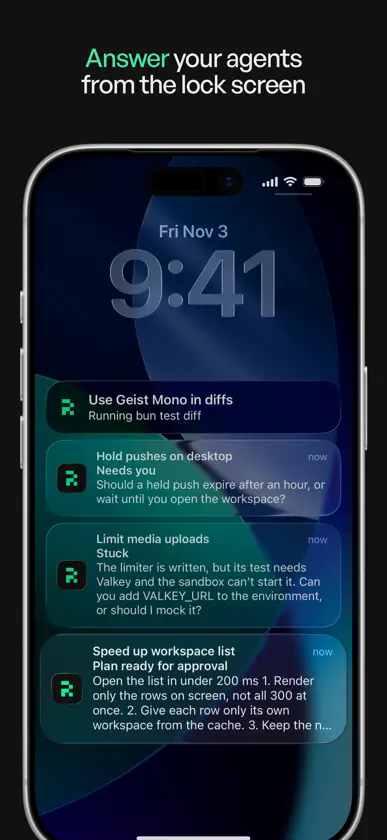
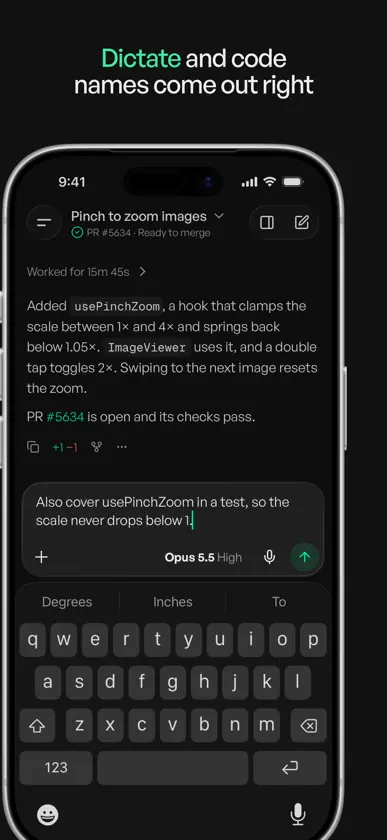
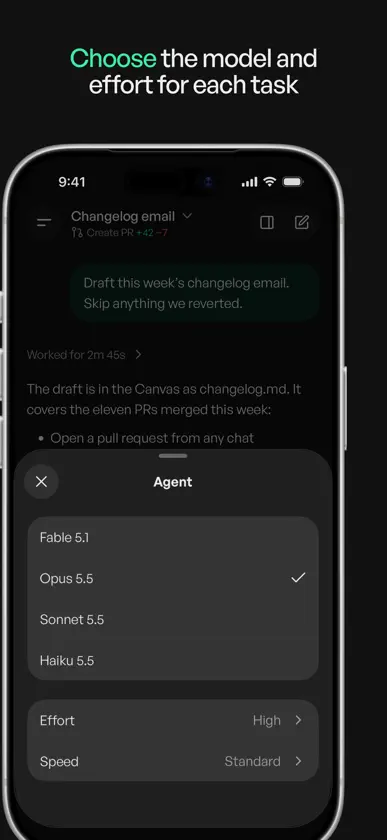
Replicas runs your coding agents in cloud workspaces, so they keep working when your laptop is closed. The app is where you answer them, check their work and ship it. • Answer from the lock screen. When an agent has a question or a plan ready, the notification says so, and you can answer it there. • See which agents need you. Workspaces waiting on you come first, each with the reason in plain words. • Dictate a task. Names like useBillingPeriod come out spelled right, and nothing sends until you tap Send. • Steer while it works. Queue a follow-up mid-run, or stop it. • Review what changed. A tour of each pull request starts with a short summary and the most important file, with one sentence on why each file changed. Comment on any line. • Merge with Face ID. • Follow a running agent in a Live Activity, and see what needs you in a widget on your Home Screen or Lock Screen. • Share a link, text, photos or files to an agent from any app. • On iPad, your workspaces, the chat and the review sit side by side. Works with Claude Code, Codex, Cursor, OpenCode and Pi. Each workspace is its own Linux VM with your repositories, dependencies and tools. A Replicas account is required. Repositories, environments and subscriptions are set up at replicas.dev. The app doesn't offer in-app purchases.
What's new
Version 2.4.1 · Nov 10, 2026
This is the new Replicas app, rebuilt for iPhone and iPad. • Answer agents from the lock screen. Notifications say why an agent is waiting, and you can reply from them. • The menu lists the workspaces that need you first, with the reason for each. • Review pull requests with a summary and the most important file first, comment on any line, and merge with Face ID. • Dictate tasks, with code names spelled right. • Steer an agent while it works, or stop it. • Follow a running agent in a Live Activity, and add a widget to your Home Screen or Lock Screen. • Share links, text, photos and files to an agent from any app. • On iPad, your workspaces, the chat and the review sit side by side.


