
ScriptBlocker
Bror Brurberg
No ratings yetUtilitiesAges 4+
Screenshots


About this app
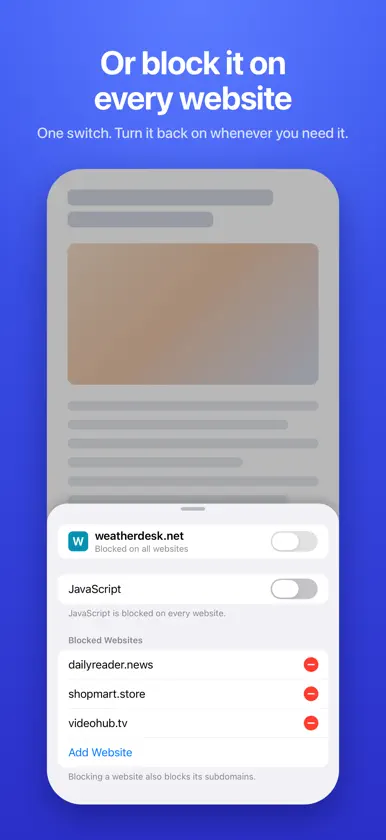
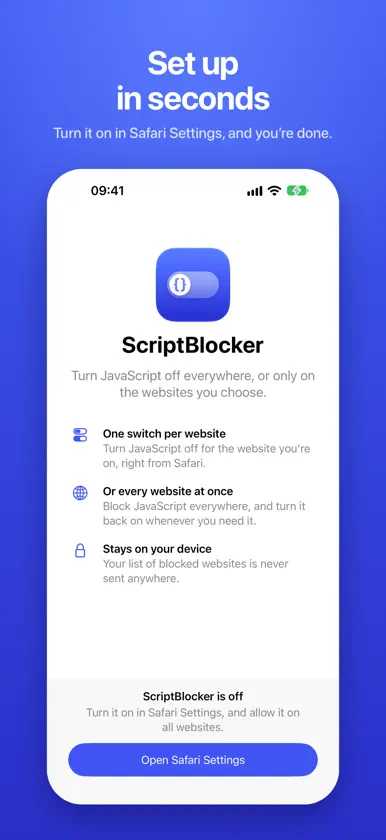
ScriptBlocker is a Safari extension that turns JavaScript off everywhere, or only on the websites you choose. Most of what makes the web slow and noisy runs on JavaScript: trackers, pop-ups, autoplaying videos and endless scripts. ScriptBlocker lets you switch it off, one website at a time or across the whole web, right from Safari. ONE SWITCH PER WEBSITE Open ScriptBlocker from Safari's toolbar on Mac, or from the page menu in the address bar on iPhone and iPad, and flip the switch for the website you're on. The page reloads without JavaScript. Flip it back whenever you like. OR EVERY WEBSITE AT ONCE Block JavaScript on every website with a single switch, and turn it back on when you need it. Your list of blocked websites is kept until you do. THOROUGH BLOCKING • Blocks every script a blocked website loads, from its own servers or anyone else's • Stops inline scripts written into the page itself • Covers subdomains: blocking example.com also blocks news.example.com • Shows a page's no-JavaScript version when it has one • The toolbar button shows at a glance whether JavaScript runs on the current website PRIVATE BY DESIGN No account, no analytics, no tracking. ScriptBlocker makes no network requests of its own, and your list of blocked websites never leaves your device. FOR MAC, IPHONE AND IPAD ScriptBlocker works in Safari on all your Apple devices. Each device keeps its own list. GETTING STARTED 1. Open ScriptBlocker. 2. Turn it on in Safari Settings and allow it on all websites. The app takes you there. 3. Use the switch in Safari. Some websites need JavaScript to work. If one looks broken, turn its switch back on. Requires iOS 17, iPadOS 17 or macOS 14 or later.


