
StatsFlow
Simon Luthe
No ratings yetUtilitiesAges 4+
Screenshots




About this app
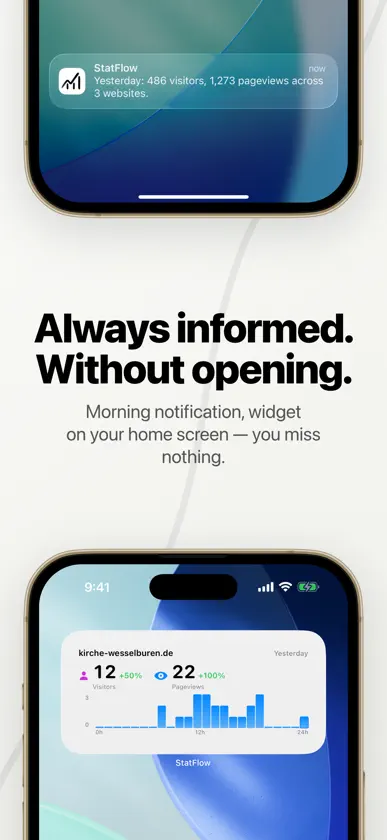
Your website stats. Always with you. StatsFlow brings your analytics dashboard to your iPhone — for Umami and Plausible Analytics. Fast, secure, and straightforward. If you run a website with privacy-friendly analytics, you know the problem: checking your visitor stats means logging in on a desktop every time. StatsFlow changes that. One app, all accounts, all websites. MULTI-ACCOUNT & MULTI-PROVIDER Manage any number of Umami and Plausible accounts in one app. Switch between accounts with a tap or view all websites across all accounts in a combined view. DASHBOARD WITH SPARKLINES The overview shows you instantly what's happening on your websites: visitors, pageviews, session duration, and bounce rate — all with compact sparkline charts for quick trend checks. REALTIME VIEW Who's on your website right now? The realtime view shows you live visitors, current pages, and referrers as they happen. PERIOD COMPARISON Compare any time periods: this week vs. last week, this month vs. last month. Spot trends immediately. EVENTS & REPORTS Detailed analytics for custom events, funnel analysis, UTM tracking, goals, and attribution — all right in the app. HOMESCREEN WIDGET One glance at your homescreen is all it takes: the StatsFlow widget shows your website's key metrics without opening the app. OFFLINE MODE No connection? No problem. StatsFlow shows your last loaded data as a fallback, so you're never in the dark while on the go. PRIVACY - No tracking SDKs — the app itself contains zero analytics or tracking - No ads — completely ad-free - Credentials in Keychain — your login data is securely stored in iOS Keychain - No data collection — the app communicates exclusively with your own servers - No external dependencies — built entirely in SwiftUI, no third-party libraries TECHNOLOGY StatsFlow is a native iOS app built entirely in Swift and SwiftUI. No external dependencies, no third-party frameworks. Your data stays on your device and your servers. SUPPORTED SERVICES - Umami: self-hosted from version 3.0 (sign in with username and password) - Umami Cloud: sign in with the API key from your Umami settings (Settings → API keys) - Plausible: Cloud as well as Community Edition from 2.1 (sign in with API key) For website owners who want to keep their analytics in sight while on the go.
What's new
Version 2.1.0 · Sep 20, 2026
You can now connect Umami Cloud accounts. Use the API key from your Umami settings (Settings → API keys); Umami Cloud does not offer username and password sign-in. Fixed: Connecting an Umami Cloud account asked for a username and password and then only reported "login failed". Self-hosted instances sign in as before.
In-app purchases
The most popular purchases on the App Store.
- Small ThanksConsumable$1.99
- Huge ThanksConsumable$4.99
- Big ThanksConsumable$3.99
More from Simon Luthe


You might also like
 Umami Dashboard AnalyticsTheo Vankoekelberg
 Zentii: AI Dating CoachOussama Oumlil
 Save to ReadeckTeddy Lindsey
 Umami: Website AnalyticsDiljit Singh
 Quoted - Quote NotebookAbanoub Ghipriel
 Domain Command: SSL & ExpiryTomas Kafka
 Arbory for Plausible AnalyticsJorijn Schrijvershof
 SpoolMateChris TeSelle
 Umami – Analytics ManagerFlorian Seida
 iPerfman Pro伟 葛