
TableCalc
LEUNG NICOL
No ratings yetProductivityAges 4+
Screenshots

About this app
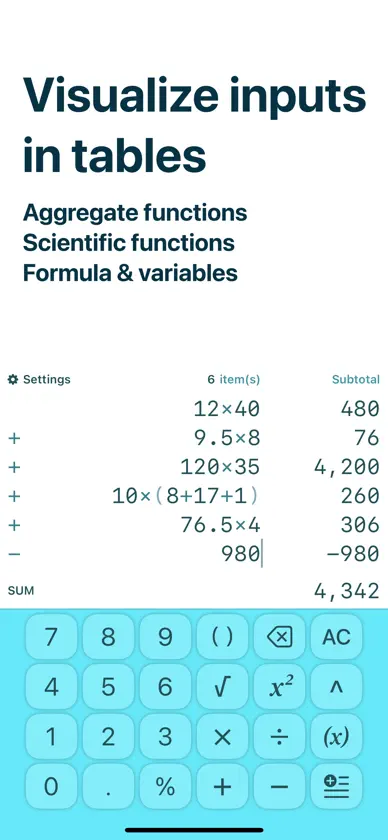
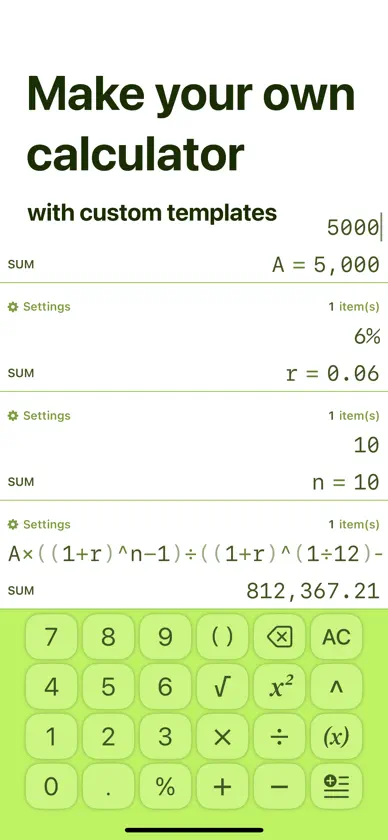
Simplicity of calculators. Power of spreadsheets You must have encountered numerous times the need to sum up a long list of numbers, but the calculator character limit and one-line display bothered you much. With TableCalc, this has never been easier: your input is displayed in tabular format automatically, with subtotal displayed for each item you entered. You can edit any item you want anytime. While optimized for this, you can also use this calculator as drop-in replacement of regular calculators. All features are packed into one single interface nicely, without the need to alter between different specialized calculators. When your work is done on mobile devices, the export feature can generate complete functional spreadsheets for major spreadsheet software. Functionalities: - Tables: visualize calculator inputs in tabular formats, with subtotal for each item. - Functions: aggregate functions and scientific functions - Variables: allows you to reuse results and build complex workflows - History: save calculations and edit them later - Files and folders: save to files and organize them in folders - Export CSV: export CSV files with formula compatible with Excel, Google Sheets and Numbers - Templates: reuse formula in new calculations - Custom templates: add your files to template list to open as template - Themes: customize your own calculator, with dark mode available for each theme Built-in templates: - Bills - BMI calculator - Savings calculator - Mortgage calculator Terms of Use: https://www.apple.com/legal/internet-services/itunes/dev/stdeula/
In-app purchases
The most popular purchases on the App Store.
- Pro - MonthlySubscription · 7 days free trial$2.99 / month
- Pro - YearlySubscription$11.99 / year
- Pro - LifetimeConsumable$24.99
You might also like
 Mathpad: Calculator Notebook文杰 饶
 Raft Notes轶伦 叶
 Vault Notes - Notes You OwnAndre Schoolman
 FomcalNOBORU IMAI
 Stock Lite - 発注&在庫管理ノートRyu Nakajima
 AI Mate: Character ChatNGUYEN LUONG TU QUYEN
 のこりメモ - 金額を自動合計・残額管理Riki Kamei
 QuickSave - Links, ScreenshotsZhiqi Pan
 Totalist: Smart Shopping listVirender Kumar
 Event Budget PlannerAna Aquino