
Screenshots








About this app
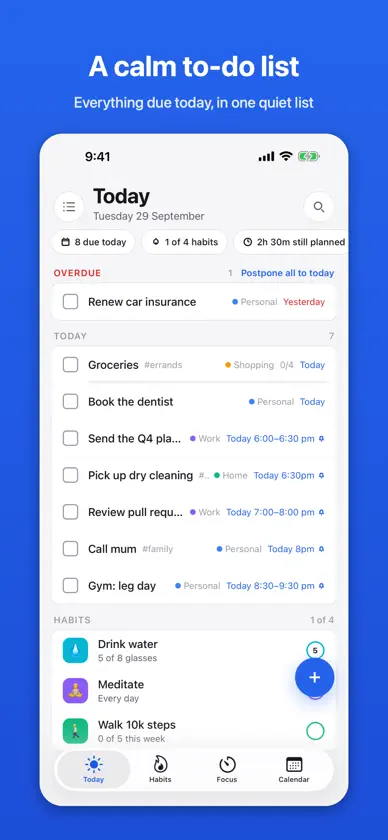
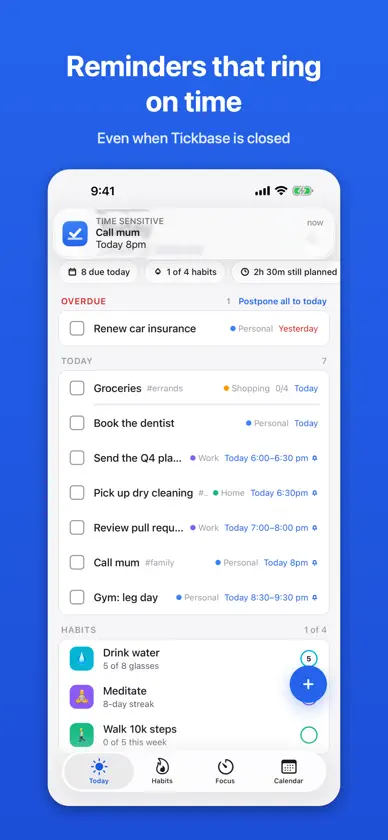
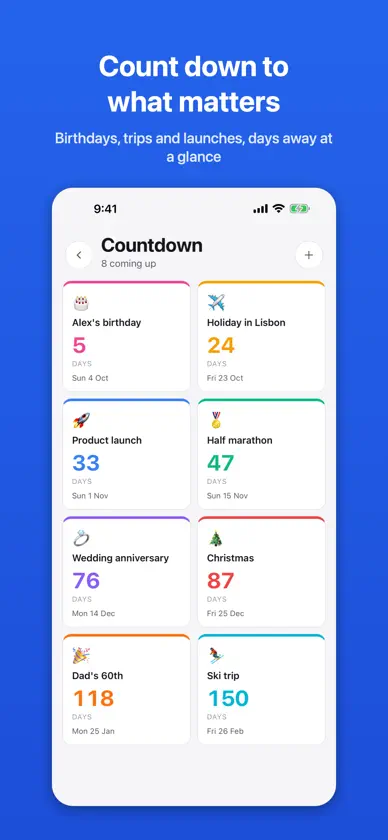
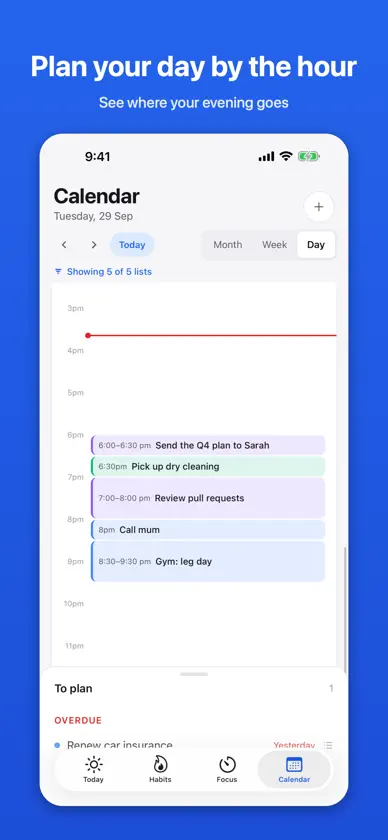
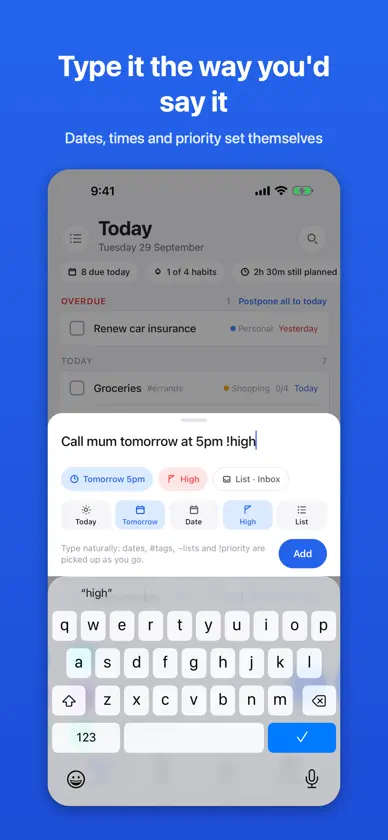
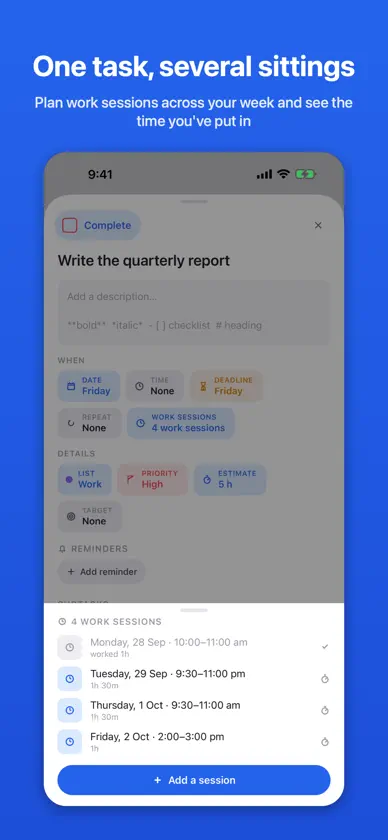
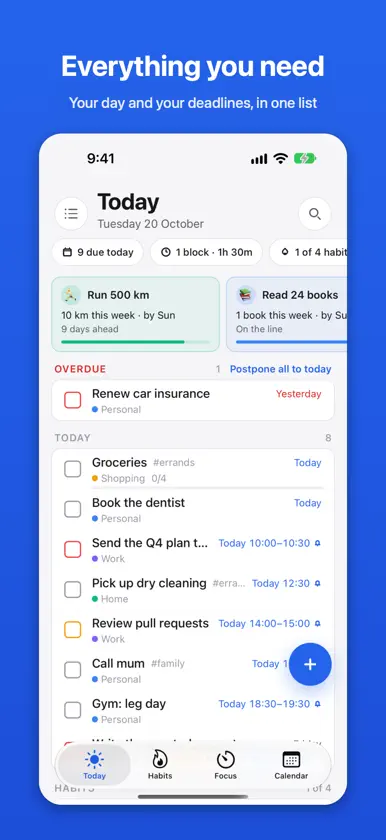
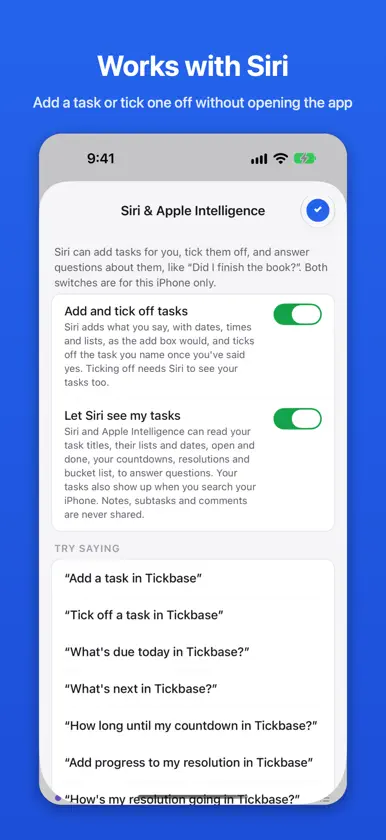
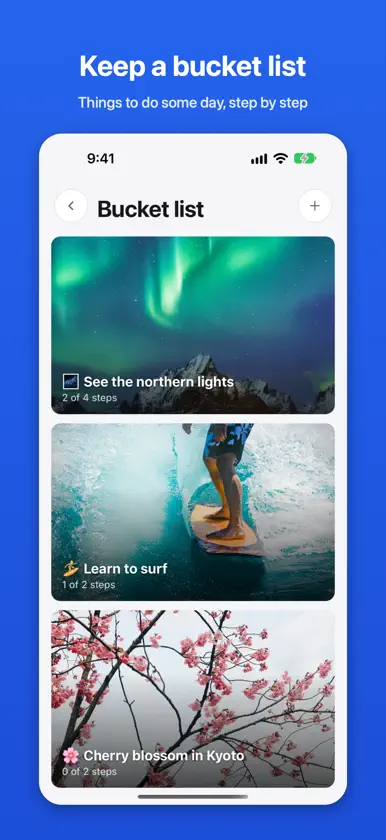
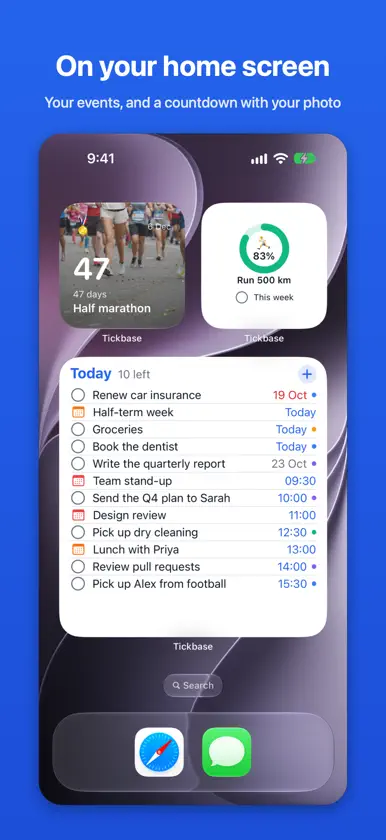
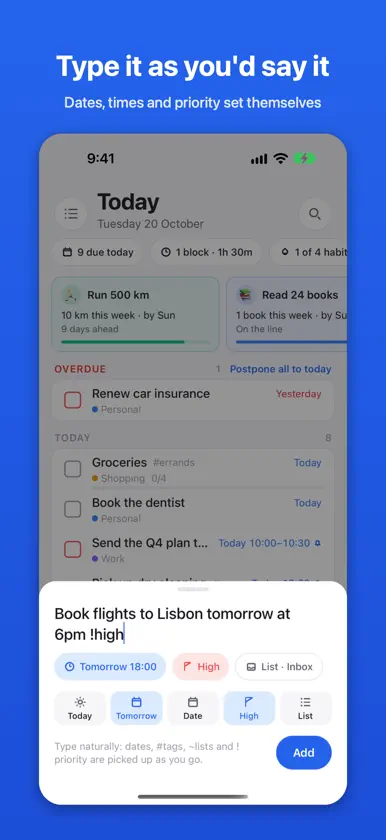
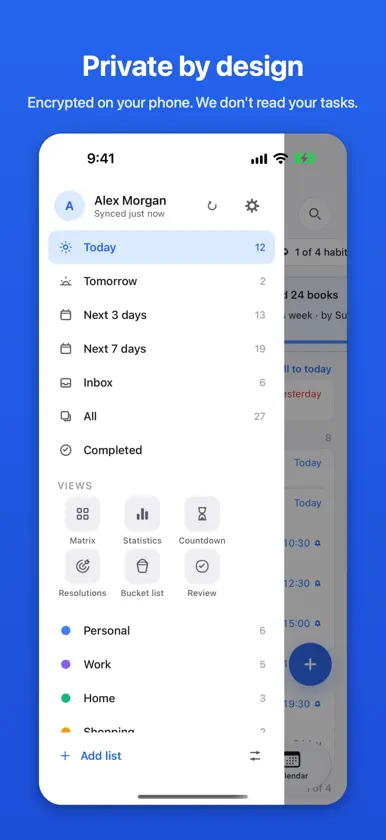
Tickbase is the to-do list with everything you need to get things done, and none of the noise. Type a task the way you’d say it, “Call mum tomorrow at 5pm”, and the date, time and list are set for you. No feeds, no clutter, and no AI of its own. WORKS WITH SIRI Add a task, tick one off, or ask what’s due today, without opening the app. With Apple Intelligence, ask in your own words: “the passport one, tick it off”. Two switches decide whether Siri may change your tasks and see them, and locked lists always stay out of it. PLAN YOUR YEAR Turn a resolution into steps: read 24 books, run 500 km. Tickbase puts a milestone in your list each week, tells you whether you’re ahead or behind, and offers a new plan when one slips. Keep a bucket list beside it, with steps, shared with the people you’ll do it with. PLAN WORK THAT TAKES MORE THAN ONE SITTING Give a big task several work sessions across your week. Each one sits on your calendar, reminds you before it starts, and records the time you spent. COUNT DOWN TO WHAT MATTERS Birthdays, holidays and anniversaries, with the days to go and your own photo behind any of them. REMINDERS THAT RING • On time, even when Tickbase is closed • Set a reminder on your laptop and it rings on your phone • Done and Snooze right on the notification • Keep reminding until you act, as often as every 30 seconds • Ring as an alarm for the ones you can’t miss, through silent mode and Focus • Reminders before your calendar’s events, with a lead time for each calendar MADE FOR IPHONE DUO AND IPAD Open your iPhone Duo and your list sits beside the task you’re working on. Close it and the task carries on full screen. On iPad, your views open beside the menu. ON YOUR HOME AND LOCK SCREEN • A Today widget with your tasks and the day’s calendar events, ticked off right there • Widgets for habits, a resolution and a countdown • The focus timer on the lock screen and in the Dynamic Island • An Add a task button for Control Center, the lock screen and the Action Button • Your tasks in iPhone search EVERYTHING ELSE IN ONE PLACE • Today, Tomorrow, Next 7 days and an Inbox for everything else • Lists, folders, tags, priorities, subtasks and notes • Plan your day by the hour • Habits with streaks, and a focus timer with white, pink or brown noise • Your phone’s calendars beside your tasks • A weekly and monthly review that shows how it went and helps you tidy up • Deadlines with the days left, and a heads-up on Today when they’re close • Hold and drag tasks, sections and board columns wherever you want them • Shared lists, with assignees and comments • Forward an e-mail to your private address and it becomes a task, attachments included • A journal line for each day, and Print today for your day on one sheet PRIVATE BY DESIGN Everything is encrypted on your phone before it leaves, shared lists included. We don’t read your tasks: our servers only hold encrypted data. Tickbase works without an account; sign in to back up and sync. SYNC FOR FREE Sign in with Apple, Google or your e-mail and your tasks sync between your phone and the Tickbase web and desktop apps at no cost. Import from Apple Reminders and other to-do apps, and export everything whenever you like. TICKBASE PREMIUM Free is a complete to-do list, free for good. Premium adds work sessions and planning by the hour, unlimited lists, habits, resolutions and reminders, shared lists, attachments, tasks by e-mail, full statistics, themes, app icons and live sync. Buy it right here, no account needed; sign in and it comes with you to all your devices. New accounts get 14 days of Premium free. Subscribe yearly, or pay once for Lifetime while it’s on offer. Payment is charged to your Apple Account. The yearly subscription renews automatically unless it’s turned off at least 24 hours before the end of the period; manage it in your App Store account settings. Terms of Use: https://tickbase.app/terms Privacy Policy: https://tickbase.app/privacy
What's new
Version v1.4.9 · Nov 13, 2026
Finish lines worth celebrating Finishing a resolution now gets the moment it deserves: sparkles, a finish screen with how early you got there and the XP it earned, a line about how it feels, and a picture to share. Halfway, and getting back on pace, get a cheer of their own. Your first finish unlocks a gold app icon, Trophy. Tick off your bucket list in style Ticking off a bucket list item plays its own finish, with your words, the steps it took and how long it was on the list, and an "I did it!" picture to share. A resolution made from an item points you straight to it when you're done. Apple Reminders into Tickbase Pick a Reminders list in Settings → Integrations and anything in it moves into Tickbase each time it opens, with its day, time, repeat and alarm. Say "Hey Siri, remind me to…" and it ends up in Tickbase. Next 7 days as a board Tap the grid button on Next 7 days (or Next 3 days) for a column per day. Add a task straight onto a day, or hold one and drag it to another day. The week by the hour Calendar → Week → Hours shows the days side by side, two and a half at a time, swiped a day at a time. Hold a task to drag it to another hour or day, or drag one up from To plan. Held sideways, the calendar makes room for the hours. Habits your way Put your habits in your own order: tap the arrange button on the Habits page and drag them. Not doing one today? Swipe it left on Today to skip it, or hold a day on the Habits page. Also • Your phone's calendars can show on your other devices too: Settings → Calendar → Share with my other devices, now at the top. Encrypted end to end. • Removing a subtask by mistake can be undone. • A repeating task's subtasks always come back unticked the next day. • Lists with hundreds of tasks stay quick. • Adding tasks and subtasks in a row with Return is smoother, and the subtask box stays above the keyboard. • A resolution made partway through the year starts the day you make it, so it isn't behind on day one. • A new habit counts from the day you made it. • Reviews wait until you've had a whole week (or month) with Tickbase. • Widgets catch up with your other devices more often. This is the last update for a little while: next up, Tickbase in more languages.
In-app purchases
The most popular purchases on the App Store.
- Tickbase LifetimeConsumable$49.99
- Tickbase PremiumSubscription$12.99 / year
More from Daniel Carreras


You might also like
All apps like Tickbase → Orgazized3 - daily plannerInnoBee
 PodomodoChristoph Sacher
 Said: Voice To-Do ListClingstone Limited Company
 StoreeMailCourtney Prater
 DayFlow AI: Daily Planner雪岩 潘
 Olive Shoots: Family CalendarAppstackly LLC
 NotesMDSeung-Un Ham
 Dainvo: Calendar & To-Do ListINTAGRI TECHNOLOGIES LLC
 Log It - AdCo AppAdmin Collective, LLC
 Ribbons 1Paul Waweru