
Trove · Visual Notes
瑾威 向
No ratings yetProductivityAges 4+
Screenshots


About this app
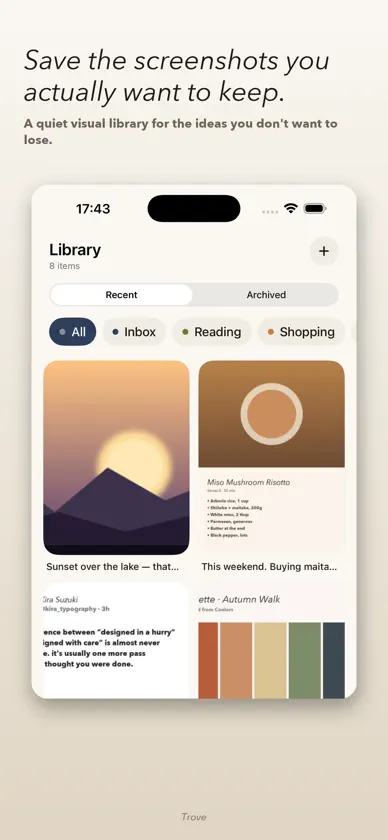
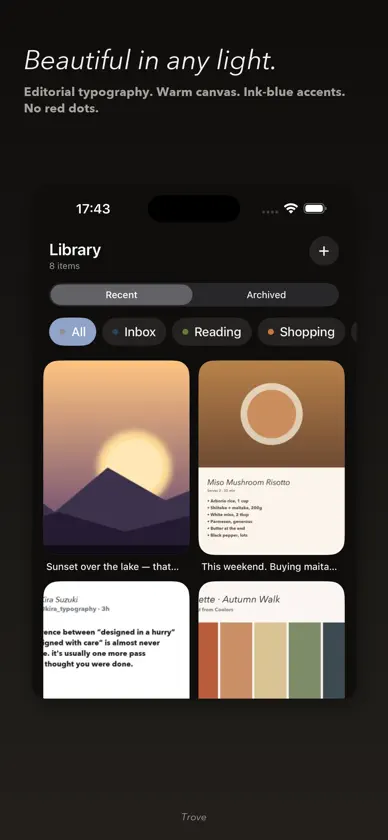
You see something good. You screenshot it. Then it disappears into Photos with ten thousand others — and you never find it again. Trove fixes that. Save screenshots from any app with a single tap. Add a quick note. Then browse them in a calm, two-column visual library that's built for finding things, not for scrolling. ▸ HOW IT WORKS 1. Screenshot anything, in any app 2. Tap Share → choose Trove 3. Add a note, pick a list, save 4. Find it later — searchable by note, tag, or source app ▸ DESIGNED FOR FOCUS Editorial typography. Warm paper canvas. Ink-blue accents. No feeds, no algorithm, no badges, no streaks. Just your saved things, breathing. ▸ YOUR DATA STAYS WITH YOU Everything is local. No accounts, no servers, no analytics, no third-party SDKs. ▸ MADE FOR APPLE Native SwiftUI. iPhone, iPad, and Mac. Dark Mode, Dynamic Type, VoiceOver, Reduce Motion. Available in English and 日本語. ▸ TRY FREE FOR 10 DAYS Free to download. Use everything for 10 days — no credit card, no auto-renew. Then a single one-time purchase unlocks unlimited saving forever. No subscription. No ads.
What's new
Version 1.1.0 · Jun 2, 2026
Trove Premium is here. Free for the first 10 days, then unlock unlimited saving with a single one-time purchase. • 10-day free trial of all features • One-time unlock — no subscription, no ads • iCloud-synced trial state across your devices • Refined typing in the Share Extension • English / 简体中文 / 日本語 fully localized
In-app purchases
The most popular purchases on the App Store.
- Trove PremiumConsumableUSD 2.99
More from 瑾威 向

You might also like
All apps like Trove · Visual Notes → PuloniaKazuki Arimoto
 Takt - Notes & Tasks togetherDavid Vasella
 ProjectX - Manage All ProjectsOKAN KAYCI
 Ravn: Link Saver & BookmarksRedjon Prengzi
 Notedown: Markdown NotesYuki Okawa
 Benchpad — Scratchpad NotesGagandeep Singh
 Social Saver AI OrganizerRadiance Okuzor
 Findlist: Watchlist & PlacesJonatan Robin
 Saturn — Offline RemindersNeiell Care Paradiang
 Notetive - Notes and Thinking汉文 卢