
DoodLoop
Nubisco, LDA
No ratings yetGraphics & DesignAges 4+
Screenshots


About this app
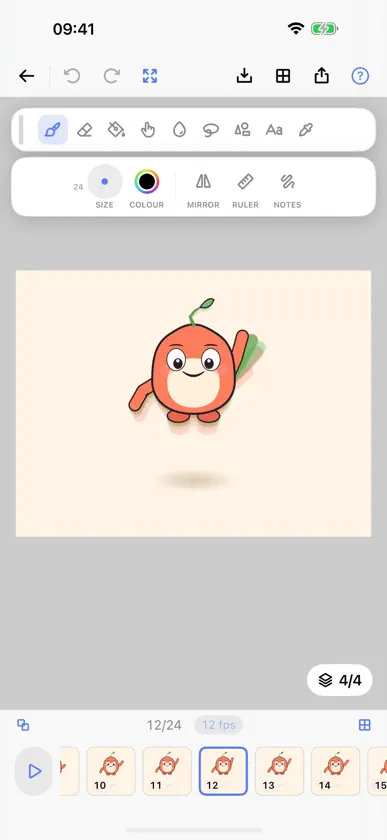
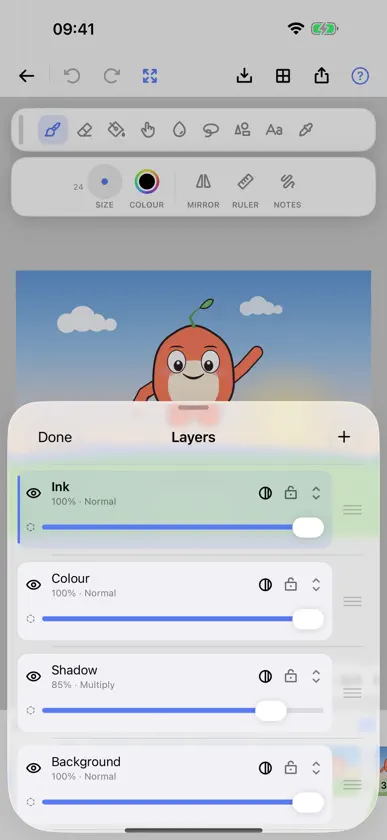
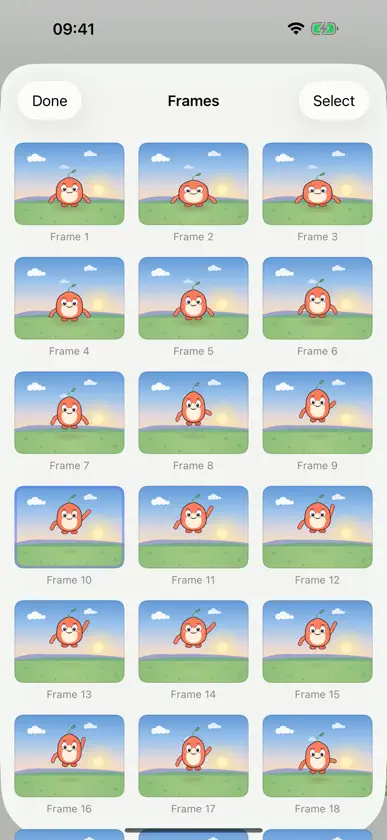
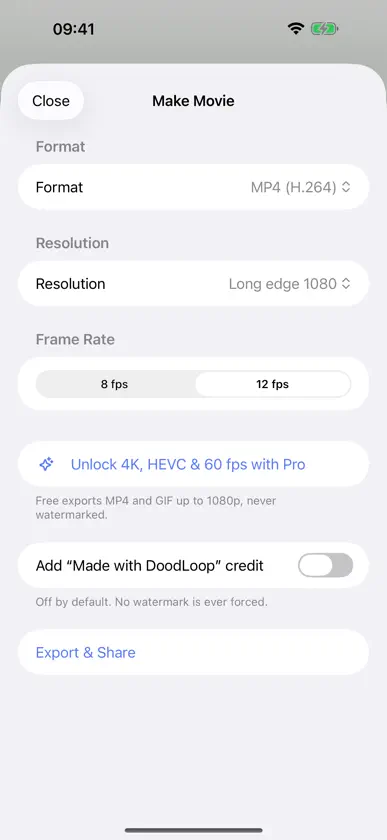
Draw it. Flip it. Loop it. DoodLoop is a frame-by-frame animation studio for iPad and iPhone, built for Apple Pencil and just as happy with a finger. Sketch a drawing, change it a little on the next frame, and watch your cartoon come to life on a loop. No ads, no watermarks, no subscription. Your cartoons, your files, yours. DRAW • Apple Pencil pressure and tilt, tuned for line work, on paper that behaves like paper. Drawing with a finger gets a stroke stabiliser, so a shaky line comes out smooth. • A full kit: brushes, eraser, fill, smudge and blur, shapes (line, rectangle, ellipse, triangle, star and more), text, and symmetry. • Layers with blend modes: sketch below, ink above, shade on top. ANIMATE • A timeline made for flipping, with duplicate, reorder, and holds. • Onion skinning ghosts the frame before and after, like tracing paper on a lightbox. • Set the frame rate, lift the pencil, and your animation plays while you keep tweaking. SOUND & SHARE • Record your voice or sound effects right in the app and line them up with your frames. • Export clean, full-resolution MP4 video, animated GIF, or a PNG image sequence. Never watermarked. OWN YOUR WORK • Every project is a real .doodloop file in the Files app: browse it, copy it, back it up anywhere. • One-tap backup and restore for your whole library. • Import your existing FlipaClip projects and keep animating. FREE TO START • Download DoodLoop free and start animating today. • One optional, one-time Pro unlock opens up higher frame rates, larger canvases, and pro export formats. No monthly fee, no rented features, ever. DoodLoop is made by Nubisco, Lda. Questions, bug reports, or ideas? A human who actually works on the app will answer.
What's new
Version 1.4.0 · Nov 4, 2026
The bars are gone. Your drawing now runs edge to edge, and the tools float over it where you can move them. THE CANVAS IS THE INTERFACE DoodLoop used to be a drawing squeezed between a bar at the top and a band at the bottom. Both are gone. The artwork runs to all four edges and the controls float above it: a small cluster at each top corner, your tools down the side under your holding hand, and the frame reel as a card that sits clear of the edges instead of being welded to one. Drag the tool panel to whichever side you draw from. There is a setting to mirror the whole editor if you hold your pencil in the other hand. On a phone in portrait this gives back about a fifth of the screen. On a tablet it gives back the bottom of the drawing, which is where animators put the ground. LONG ANIMATIONS PLAY PROPERLY If you had a long animation at a large canvas size, pressing play could make DoodLoop close itself partway through, while the exported video came out perfectly. It was running out of memory holding every frame at once. It now keeps only what it needs around the playhead, so a long animation plays instead of quitting. Thank you to the person who took the time to report it.
In-app purchases
The most popular purchases on the App Store.
- DoodLoop ProConsumableUSD 7.99
More from Nubisco, LDA

You might also like
 Animatya - Animation CreatorNikita Tereshkov
 Drawing AnimationAdem Uresin
 FlipSprout: Flipbook AnimationZerostatic LLC
 doodloop – Draw & LoopYongsu Lim
 Sketcha: Drawing & AnimationGambit Global LTD
 Art AnimatorMalook Shah
 Vecta MotionPolymath Company Limited
 PuppetPadLeonardo Amora
 QuikAnimateSmart Bros Ltd co
 Framehop: Draw 2D AnimationBetul Sahin