
qForging
USHIO FUJIMURA
No ratings yetGraphics & DesignAges 4+
Screenshots



About this app
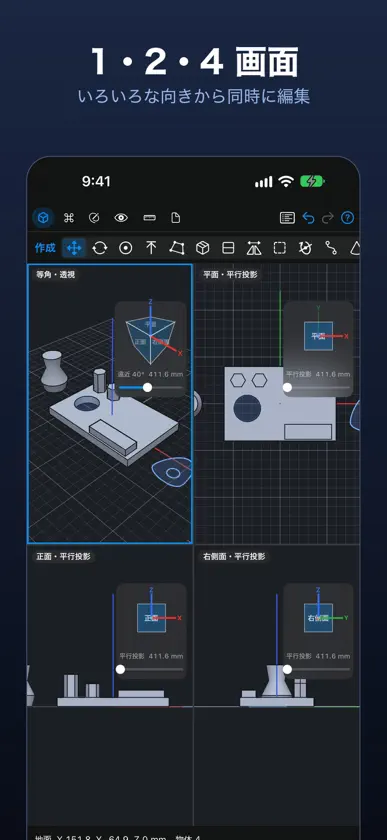
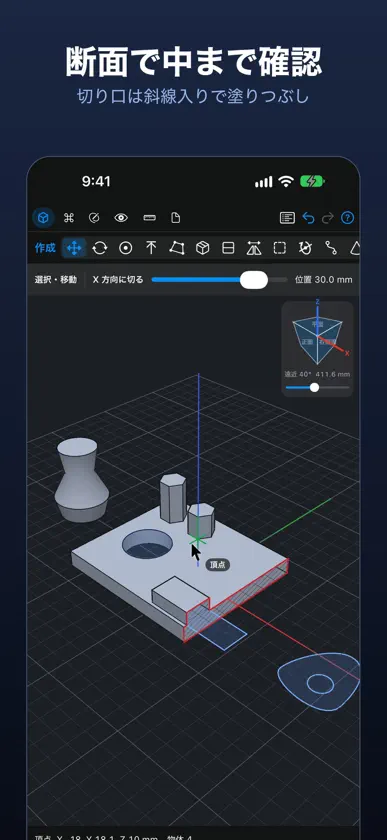
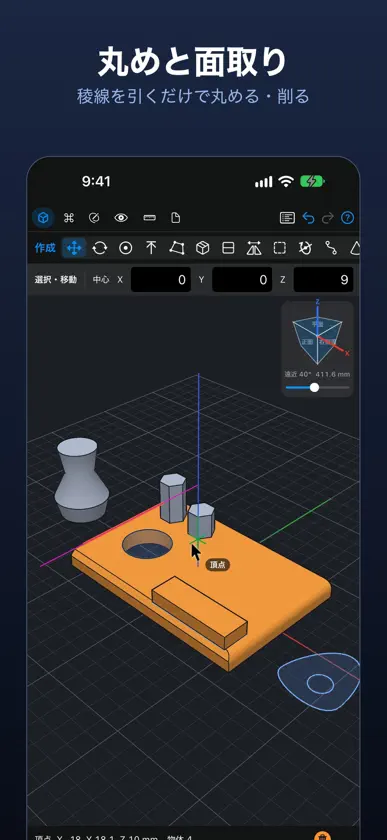
qForging は、iPhone・iPad・Mac で使える精密な 3D CAD です。2D の草図を描いて 3D に。ばね・ねじ・丸め・穴などの形は、あとから値を変えて直せます。 ■ 0.4 の新機能 ・Parasolid の X_T を読み込むと、網ではなく編集できる定義形になる部品が大きく増えました。ねじ・ボルト、内ねじ・外ねじのある部品(ねじの環やふた)、丸め・面取り・抜き勾配のある押し出し、丸い断面の線やカールコードのスイープなど。古い版の Parasolid も開け、読み込みも速く軽くなりました。 ・嵌合体:本体と、そこから削る部品を、ひとつの形のまま編集できます。抜型が削る相手を、選んだ物やグループだけにできます。 ・押し出しの稜線の丸め・面取りと側面の傾きを、あとから変えられます。1 本の稜線だけ半径を変えたり、丸めと面取りを切り替えたりできます。 ・新しい表示の形「漫画」。 ・3 点で作図平面を決められます。1 回押せば済む操作を新しい分類「コマンド」にまとめました。 ・画像のなぞり描きが、ペンの線の真ん中をたどるようになり、写真ライブラリからも選べます。 ・記憶の使用量を大きく減らし、大きな書類の編集もなめらかに。輪郭線は途切れず、固まる・落ちる不具合を直しました。 ■ 指に隠れないカーソル 1 本指でトラックパッドのようにカーソルを動かします。頂点・中点・中心・稜線・面へ吸着するので、スマホでも正確です。2 本指でカーソルの指す点を中心に回転、ピンチで拡大縮小、3 本指で平行移動。Apple Pencil は触れた所にそのまま描けます。 ■ 草図から立体へ 線・矩形・円・円弧・多角形・ベジェのペン・文字。囲まれた区画は自動で領域になります。領域を引けば立体に、面の上に描いて引けば足し、押し込めば削れます。回転体・スイープ・ロフト・パターン・メートルねじの穴とおねじの棒。 ■ 本格的なモデリング 稜線と角の丸め・面取り、シェル、分割、ミラー、拡大縮小、面のオフセットと傾け、作図平面。抜型は重なる立体を削りますが、元の形は変えないので、あとで動かす・外すができます。移動・回転・拡大縮小の操作具には量がその場に出ます。 ■ 確かめやすい表示 1・2・4 画面、ビューキューブ、透視と平行投影、断面、A4 の図面(PDF・SVG・DXF で書き出し)。 ■ 編集できるファイル STEP・Parasolid X_T・STL・OBJ・3MF・SVG・DXF の読み込みと書き出し。読み込んだ立体は、できる限り直方体・押し出し・回転体・ばねとして読み直すので、軽く、あとから編集できます。 ■ プライバシー アカウント不要、追跡なし。データはすべて端末の中に。10 言語に対応。
What's new
Version 0.4.0 · Nov 9, 2026
qForging 0.4 - Importing Parasolid X_T files now turns many more parts into editable defined shapes instead of meshes: screws and bolts, parts with internal or external threads (threaded rings and caps), extrusions with rounded or chamfered edges and drafted sides, and round wires and coiled cords as sweeps. Files from older Parasolid versions open, and import is faster and lighter. - Fitted solids: keep a body and the parts cut from it editable as one shape. Antimatter can be limited to cut only chosen objects or groups. - Rounded and chamfered edges and drafted sides of extrusions stay editable. Change the radius of a single edge, or switch it between round and chamfer. - New display style: Comic. - Set a construction plane from three points. One-tap actions are gathered in a new Commands category. - Tracing a picture follows the middle of pen lines, and pictures can come from the photo library. - Much lower memory use, smoother editing of large documents, continuous outlines, and fixes for freezes and crashes.


