
EUC Logger
Pavel DEMIANOV
No ratings yetUtilitiesAges 4+
Screenshots
About this app
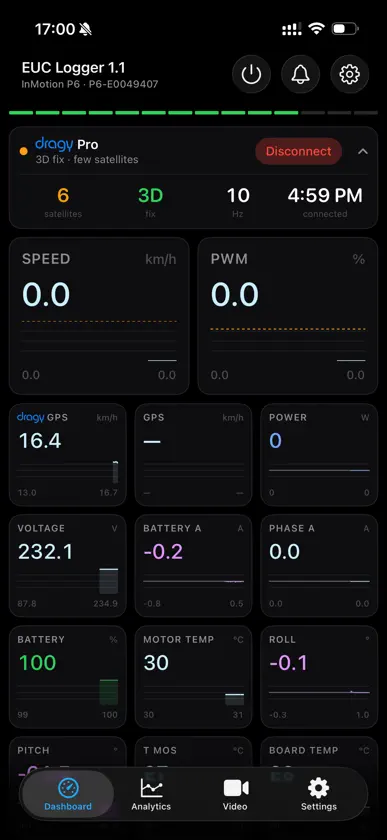
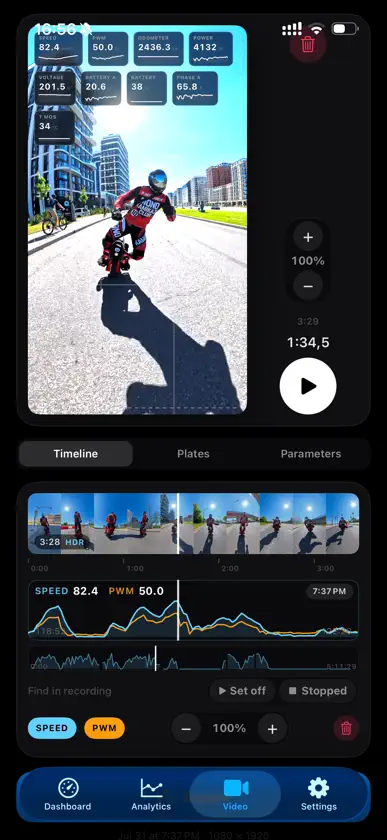
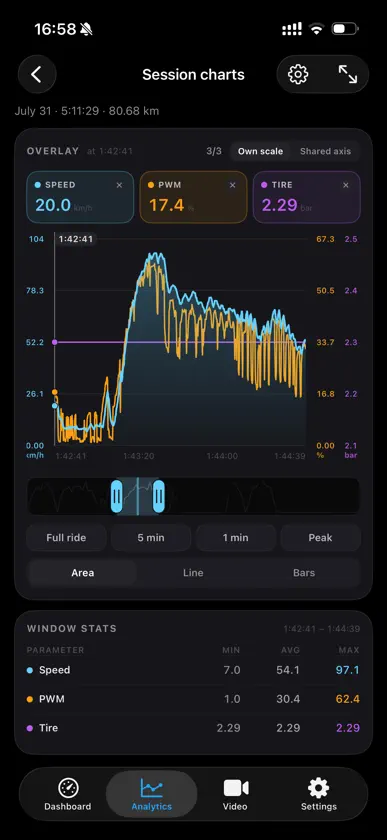
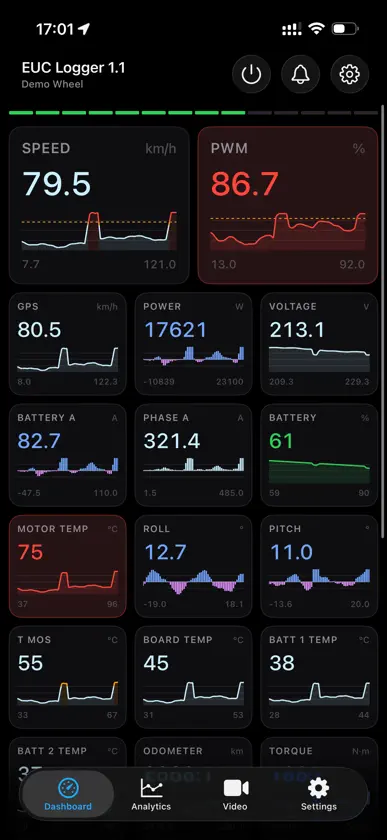
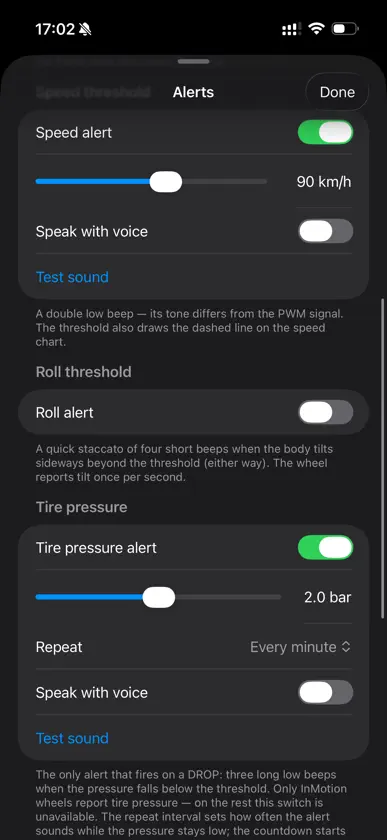
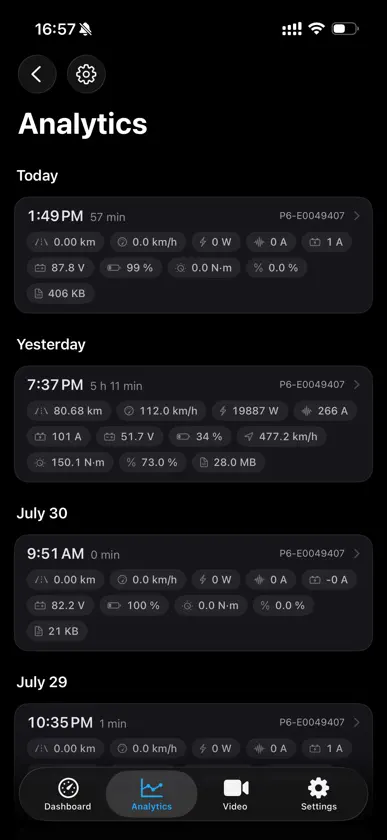
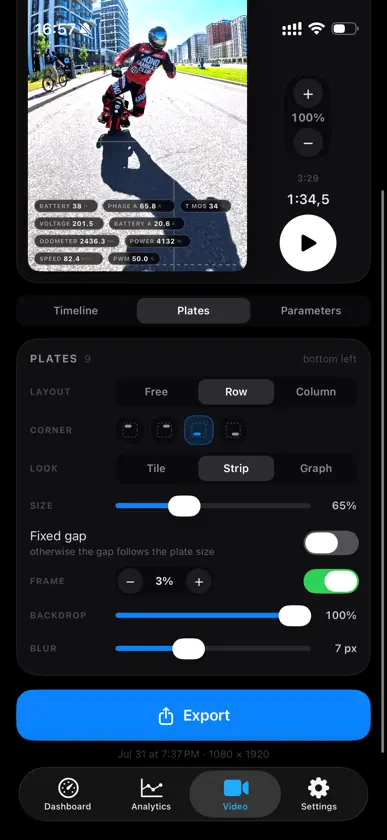
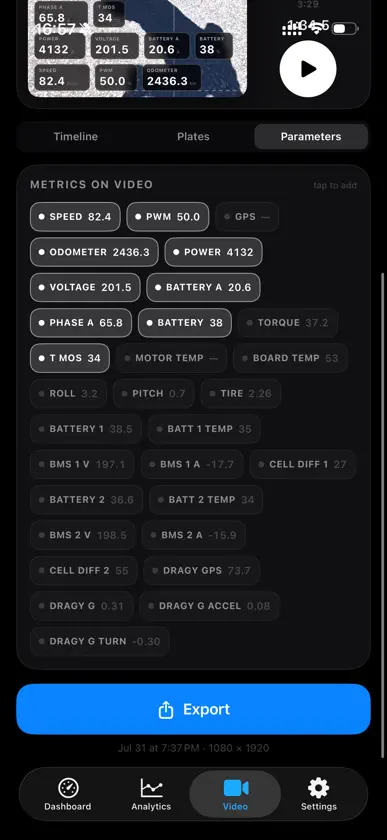
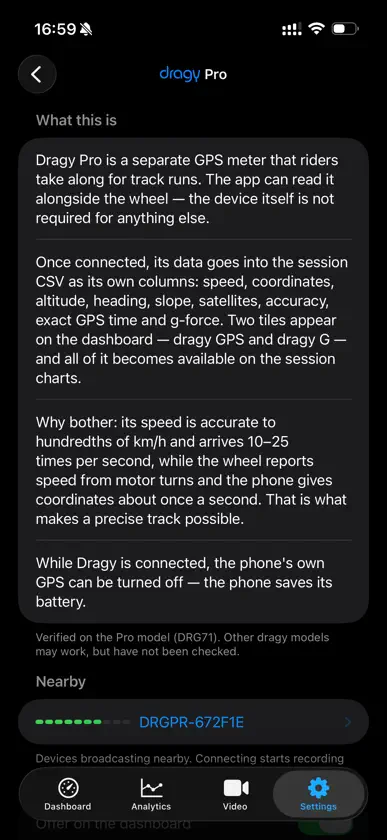
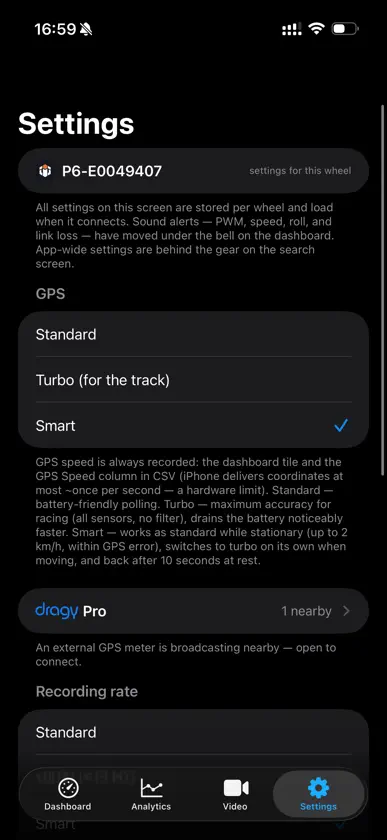
EUC Logger is a live telemetry dashboard and a black box for your electric unicycle. Connect over Bluetooth and ride: the app shows what the wheel is doing, warns you out loud when it matters and writes the ride to a file by itself. Afterwards, take it apart on charts and a map, or put its numbers onto your video. WHILE YOU RIDE • 33 wheel metrics as tiles — speed, PWM, power, voltage, currents, charge, temperatures, lean, odometer, both BMS packs — each with a chart and session min-max • The dashboard learns your wheel: tiles it never fills hide themselves; a missing value is a dash, never a zero. Pinch to resize, hold to reorder, swipe between pages • When the link drops the screen says so: dashes and a gap in the chart, not frozen numbers • The same dashboard runs on Apple Watch WHAT IT WARNS ABOUT • Twelve kinds: PWM, speed, lean, motor and battery temperatures, both currents, two levels of low charge, tyre pressure (InMotion), link lost and restored. Thresholds are per wheel; PWM is on from the start, at 80 % • Each kind has its own sound, so you know what fired without looking; your own spoken phrase can replace it • Audible with the silent switch on and the screen locked; other audio is ducked only while an alert sounds • This adds to the wheel's own tiltback and beeper, not replaces them RECORDING RUNS ITSELF • No start button: the file opens itself; a dropped link or a relaunch does not end the session • One row per telemetry frame, 2 to 20 a second depending on the wheel • 63 CSV columns, the first ten exactly the DarknessBot layout, so analysers of its logs open the file • Share a ride as a file with a privacy zone around home, sealed by the phone's secure chip: the receiver sees if it was altered. Trim a spare piece into its own file AFTER THE RIDE • Charts: up to three metrics at once, pinch to zoom, hold for a ruler, landscape for full screen; line, area or bars, and a break where telemetry went silent • The route on a map, coloured by speed, with ride playback. On a track the app finds laps itself, times them and shows the best one • 0–60 and 0–100 km/h from a standstill, or your own pair of targets — by the wheel, GPS and dragy, every run of the ride in a table • Heart rate from Apple Watch: a column, a tile and a chart TELEMETRY OVER VIDEO • A clip plus your recording — numbers land on the frame: tiles, bars, sparklines, speed and lean arcs • Where the footage runs past the recording or the link was silent, the plate shows a dash • Show the app's sync QR code to the camera, and the clip lines up with the ride by itself • Projects are saved. Export up to 4K, H.264 or HEVC, Reels and YouTube presets YOUR WHEELS • Each wheel keeps its own thresholds, layout, name and archive; a wheel that is off opens as a frozen dashboard • Six protocol families. Three verified on hardware we own: InMotion V2 (P6), Begode-compatible (SV168), Veteran-compatible (NOSFET Aero). Three more — KingSong with Rockwheel, InMotion V1 (V5–V10), Ninebot Z — decoded from open sources and riders' captures • Your wheel not listed? Connect anyway: the protocol is recognised from the wheel itself • The app changes nothing in the wheel. Exception: SmirnoV firmware settings, balance tuning behind a warning • An optional dragy DRG71 (Pro) GPS meter is read alongside: speed, g-forces, coordinates • No wheel at hand? Demo mode behind the gear icon runs the app on a simulated ride PRIVACY • Free: no accounts, no ads, no analytics, no third-party SDKs • Rides stay on the phone; optionally copied to iCloud Drive • Location is used for speed and route: both go into the ride file and onto the map. Map imagery comes from Google's static maps — only the shown area goes into that request • Each closed ride's seal — no ride data, no location — is registered on euclogger.com; this can be turned off. Diagnostic reports leave only on your command iPhone, iOS 17+; watch dashboard needs watchOS 10+. English and Russian. Metric units only. euclogger.com
What's new
Version 1.8 · Oct 19, 2026
Acceleration from a standstill • 0–60 and 0–100 km/h by the wheel, GPS and dragy — right in the ride summary. You can set your own pair of targets from 30 to 200 km/h. • Every run of the ride in a table; a tap opens the run's breakdown. The wheel's start is timed by acceleration. • Odometer calibration by a measured distance or by past rides with dragy. Sharing rides • A ride leaves as an .euclog file. The privacy zone hides the start and end of the route without touching the laps. • Other riders' recordings live apart from your wheels. • Recordings are sealed by a key in the phone's secure chip and registered on euclogger.com: the receiver sees whether the file was changed and since when it has existed. Video • Sync QR code: show it to the camera before the ride — the editor finds it in the clip and lines the video up with the recording by itself. Opens with a tap on the dashboard header; maximum screen brightness if you want it. • Export asks before it stops, and the screen stays on while it runs. Dashboard • Scrolling without micro-stutters; tile charts keep up with the number. • The ride's maximum next to the number, framed in its zone colour; a "Reset maximums" button. • New "Avg cell" and "Trip" tiles. For wheels that do not send PWM, the app estimates it. • Device plates share one style and collapse. • With "Hide tiles without data" off, the dragy tiles no longer vanish while the meter is not connected. Alerts • PWM sound of your choice: calm, rapid, siren or rising — the piercing ones carry through a helmet in the wind. • "Silent alerts" — in the bell sheet or with a long press on the bell. • PWM threshold up to 100 %, up to 150 % on SmirnoV. A 0 % charge shows as a number, not a dash. Track and map • Recording window for laps: a strip under the map cuts off what came before and after the session. "It's a track" and "Not a track" buttons. • Pinch zooms the lap and route charts, and the playback dot moves smoothly. A thin track line — a button by the map. Magic Hand • Support for our own Magic Hand displays — on the glove and a round one on the wrist: metric choice, live preview, auto brightness, firmware updates over Bluetooth, player and shortcut buttons. Wheels and smaller things • SmirnoV SV218; a tidier SmirnoV settings layout. • A wheel that was just switched on shows up in search right away. • Fixed: dragging metric chips, the tail of the peak callout on charts, deleting another rider's wheel.
More from Pavel DEMIANOV


You might also like
 LeaperKimCoyote
 AimbeamAndrei Babasiuk
 乐行 ProInmotion Technologies Co., Ltd.
 TOPFEELShenzhen King Song Technology Co,.LTD
 MOTOEYE DM西安维度视界科技有限公司
 EUC Pro: Unicycle SpeedometerHugo Prinsloo
 BTC Mining Profit Calculator宗海 陈
 Car Bulb Finder: Size & GuideRoman Chornovol
 CragerUladzislau Hliavitski
 MapMem - Bustling City CompassVadym Bohdan