
Usage Gauge
Wei Cheng Chen
No ratings yetUtilitiesAges 4+
Screenshots

About this app
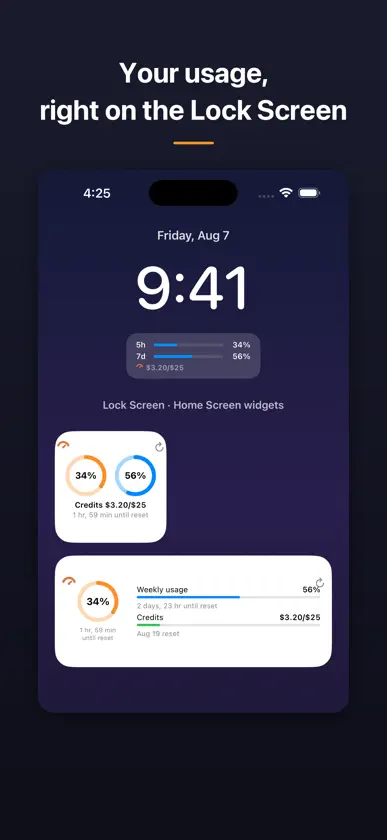
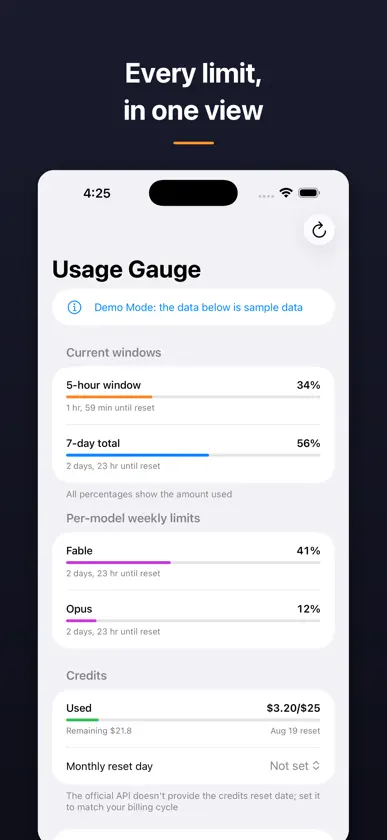
See your AI assistant usage right on your Lock Screen and Home Screen widgets - no more opening the settings page over and over. Usage Gauge is an independent companion utility for people who subscribe to Anthropic's Claude service and want their remaining limits visible at a glance. FEATURES - 5-hour session window and 7-day weekly usage at a glance - Per-model weekly limits shown separately - Extra usage credits: amount used, limit and remaining balance - Reset countdown for every limit window - Three Lock Screen widget styles (circular, rectangular, inline) - Small and medium Home Screen widgets - Refresh button right on the widget - update instantly without opening the app - Demo Mode: try the whole app and every widget with sample data, no account needed PRIVACY FIRST - Your sign-in credential is stored encrypted in your device Keychain only - Connects only to the service's official servers - we run no servers of our own - Zero data collection, zero ads, zero tracking To show your own numbers, the app needs an account with the service (free accounts work). Demo Mode works without any account. This is an independent third-party tool. It is not affiliated with, endorsed by, or sponsored by Anthropic PBC. Claude and Anthropic are trademarks of Anthropic PBC, used here only to describe compatibility.
What's new
Version 1.3 · Sep 20, 2026
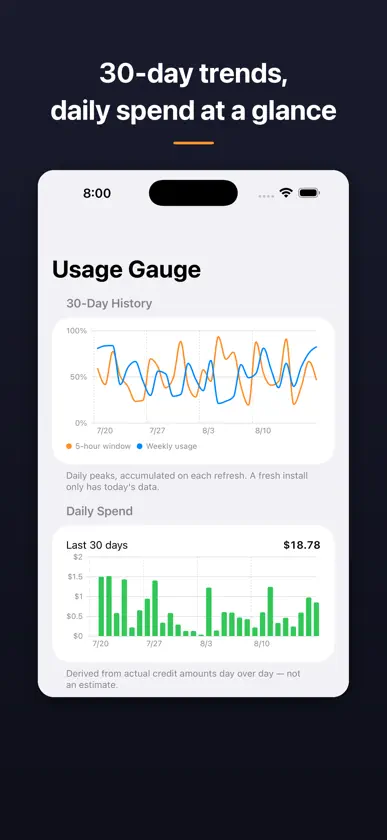
Usage history now has its own screen. Tap it from the dashboard to see the 30-day trend and daily spend charts, so the main screen stays readable at a glance instead of being stretched by two charts. The charts themselves are unchanged.
More from Wei Cheng Chen


You might also like
 Limi - AI Usage WidgetSION NOH
 JaugeAIBenjamin Sanchez
 Claudometer WidgetsMax Szolcek
 DaysRingKentaro Shirai
 NodooHouma Econimic Development Zone Jianmin Decoration Material Co., Ltd.
 Dataly: Data Usage MonitorOneWave
 NetInspectorTraLand.com
 Cherry FusionCherry Europe GmbH
 Network Tools: Net ToolkitPavel Khorenian
 My IP ProRafal Rybnik