
Paperforge
ehsan azish
No ratings yetProductivityAges 4+
Screenshots





About this app
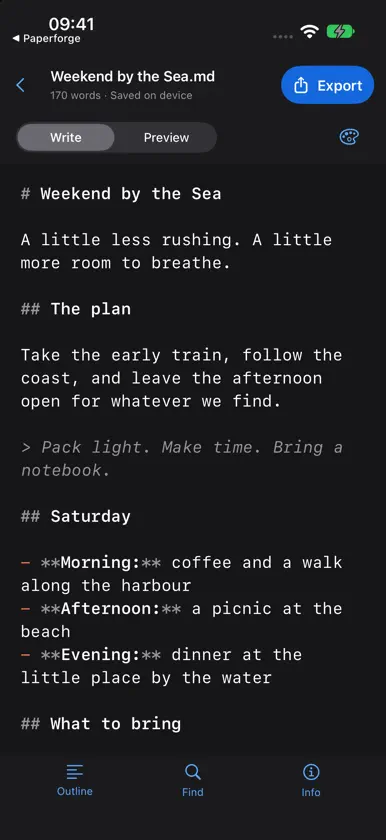
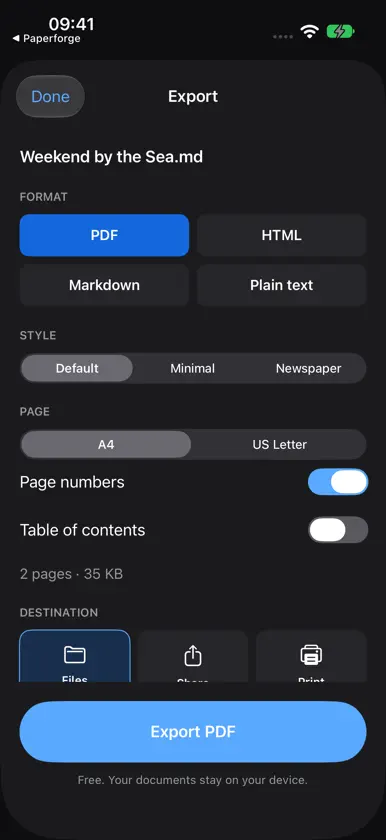
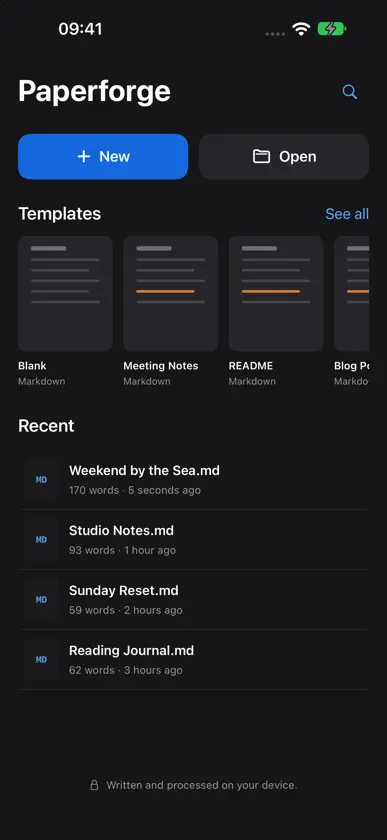
Give your ideas a place to grow. Paperforge is a calm space for the things you write every day: a quick note, a thoughtful journal entry, a meeting plan, a first draft or a guide you want to share. Start with a blank page, choose a useful template, or open a document from Files. Then turn your words into a clean PDF when you're ready. WRITE YOUR WAY Keep a reading journal, plan a weekend away, organise research or capture the next good idea. Add headings, bold and italic text, lists, checklists, quotes, links and tables with the formatting bar above the keyboard. Choose a monospaced or easy-reading font to suit the way you work. START WITH A LITTLE STRUCTURE Skip the empty-page feeling. Built-in templates give you a starting point for meeting notes, weekly reflections, research, blog posts, checklists and project introductions. Make them your own and keep writing. SEE THE FINISHED PAGE Switch from writing to Preview to see your document with clear headings, readable paragraphs, tables and checklists. Choose a preview theme that feels right. Tick a task in Preview and the change is saved in your document too. FIND YOUR PLACE Use the outline to jump between sections, search for a word or phrase, and check your word count when you need it. Recent documents make it easy to pick up where you left off. Your changes save automatically on your device. MORE ROOM WHEN YOU HAVE IT On iPad and the fully opened iPhone Duo, work with your writing and preview side by side. Keep several documents open in tabs, browse your files and outline, or hide the side panels for a quieter page. On iPhone, the compact layout keeps the writing close at hand. FROM NOTES TO SOMETHING WORTH SHARING Export as PDF, HTML, Markdown or plain text. For PDFs, choose A4 or US Letter paper, add page numbers and include a table of contents. Default, Minimal and Newspaper styles help you choose the right finish for PDFs and HTML. See the prepared file size before saving a copy to Files, sharing it with another app or opening the PDF print options. BRING YOUR OWN FILES Open Markdown and plain-text documents from Files, or read a PDF alongside your writing. Imported documents become working copies, so the original stays untouched. Export a separate copy whenever you want to share your changes. PRIVATE BY DESIGN No account, advertising or subscription. Your writing is stored and processed on your device. Paperforge has no document-upload service or third-party AI service. You choose when to export or share a document, and where it goes. All iOS tools are included without in-app purchases. For people who already use Markdown, Paperforge supports familiar .md files, tables, task lists, quotes and code blocks. You can use the formatting controls without learning the syntax first. Make a little space for your next idea. Privacy Policy: https://3nsofts.com/products/paperforge/privacy Terms of Use: https://3nsofts.com/products/paperforge/terms


